Disclosure: UPLIFT Desk provided this desk at no cost for review. All opinions are my own. This post contains affiliate links.
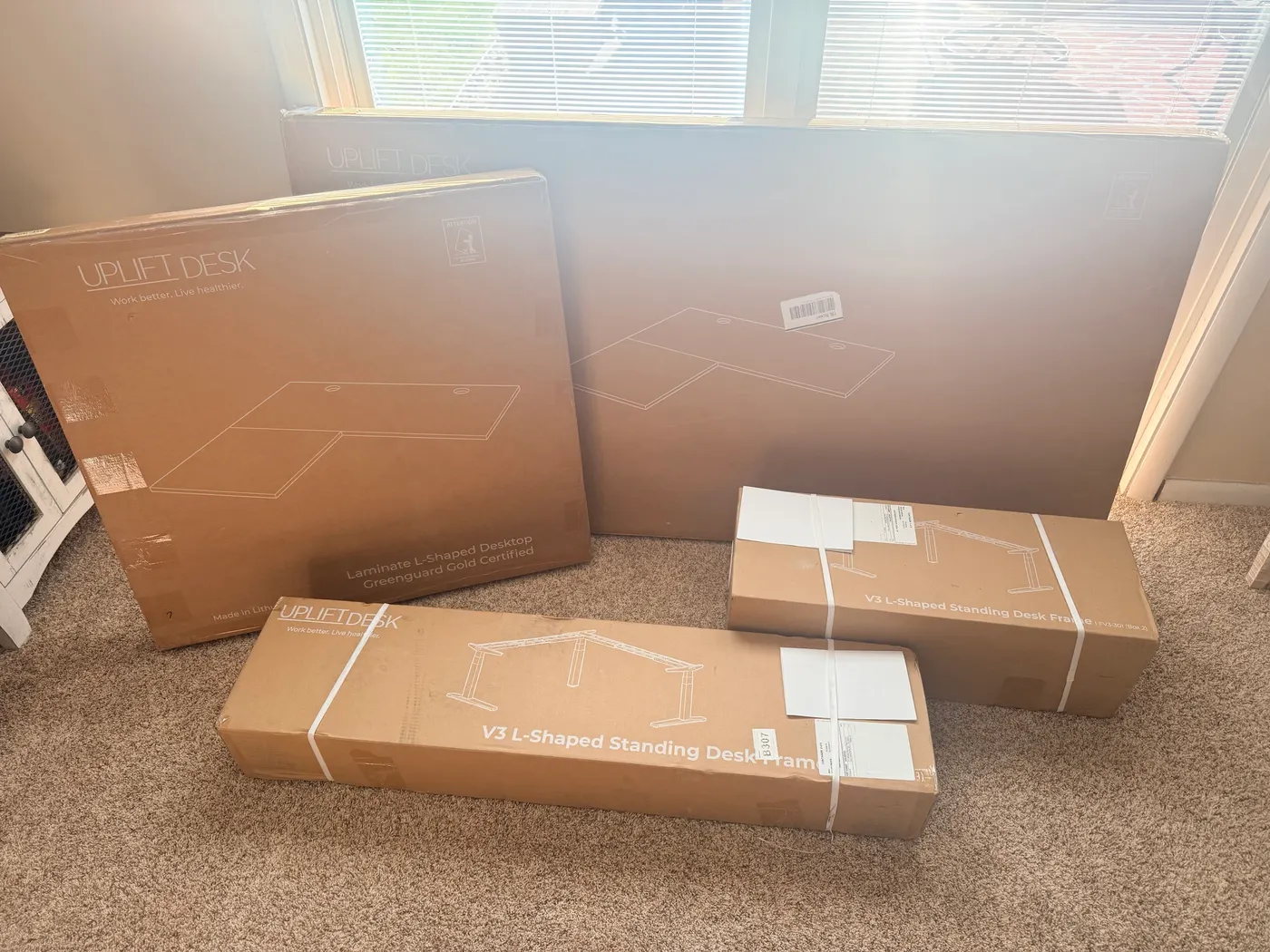
The UPLIFT V3 L-Shaped Standing Desk arrived in five boxes total: four for the desk itself, plus a fifth for the accessories included with my order. I had it assembled, plugged in, and cycling between sitting and standing height inside of 30 minutes once the boxes were open. The keypad lit up, the desk moved silently, and the L-shape held rock-solid at full extension. It's heavy. It's quiet. It feels like a 15-year warranty product. The whole time I was setting it up, the thought that kept running through my head was wow these are heavy but solid.
This is a first-impressions piece, not a long-term review. I've had the desk for a few hours, not a few months. But the V3 frame story is real, and there's one mistake I made during assembly that anyone buying this should know about before their boxes arrive. If you're considering the V3 L-Shaped, this is what the first day actually looks like.
Bottom line
Frame quality: The V3 frame is heavy enough to feel like UPLIFT could offer a 20-year warranty and not lose a minute of sleep. Motor: Quietest standing desk I've used. No hum, no jerkiness, smooth from seated to full standing height. Stability: No detectable wobble at 44.9 inches, even on the L-shape return. Watch out: Flipping the desk upright is a two-person job. Solo attempts can damage the laminate threaded inserts. Buy with: The solid wood desktop upgrade if you're going to assemble alone. The laminate is fine, but the inserts hold up better in solid wood.
V3 L-Shaped Specs at a Glance
| Starting price | $1,249-$1,500+ |
| Frame | V3 3-Leg, triple-motor synchronized |
| Height range | 22.6" to 48.7" (26.1" of travel, fits over 95% of users per UPLIFT) |
| Lifting capacity | 535 lb |
| Lift speed | ~2 inches per second, under 50 dB |
| Desktop sizes | 60"×60", 72"×60", 80"×60", 60"×30", and custom |
| Desktop materials | Laminate, solid wood, bamboo, custom |
| Return side | Left or right (reversible at order time) |
| Cable management | FlexMount Cable Manager included |
| Mounting points | 90-point patented system on the steel frame |
| Compliance | ANSI/BIFMA G1-2013 ergonomics, X5.5-2021 stability |
| Warranty | 15 years on frame, 20,000 motor cycles tested |
| Origin | Designed in Austin, TX. US-based support, same-day shipping before 3pm CT |
What I Configured (And What It Cost)
I configured the V3 L-Shaped through UPLIFT's desk builder, selecting the V3 frame option as a +$100 upgrade over the default V2 frame. Here's the exact build that landed in my office:
- Frame: V3 3-Leg in Black (+$100 over the default V2 frame)
- Desktop: 60" main × 60" return, Ash Gray laminate (Greenguard Gold certified)
- Return side: Right (the configurator lets you flip to left at no charge)
- Keypad: Advanced Comfort Angled Keypad in Black (+$29 over the basic paddle)
- Accessories: Two pop-up power grommets (+$158)
- Free with the order: clamp-on punching bag, Austin t-shirt, cup holder with Texas mug, desk organizer, foot hammock
One important note before you click anywhere: the product page is titled "UPLIFT L-Shaped Standing Desk, 3-Leg" and defaults to the older V2 frame at checkout. The V3 is a separate configurator selection under "Frame Color & Type" that adds $100. If you specifically want the new V3 frame (with TremorGuard feet, I-beam crossbars, and the included FlexMount Cable Manager), make sure "V3" is selected before completing your order.
Unboxing the V3 L-Shaped
Four boxes for the desk arrived together: two long, narrow frame boxes (the legs, crossbars, control box, and cables split between them), plus two flat desktop boxes for the main and return sections of the L-shape. The accessories shipped in a fifth box that landed the same day. UPLIFT splits the L-shape into two desktop boxes because the main and return are different shapes, and each is large enough that combining them would push past standard freight dimensions.
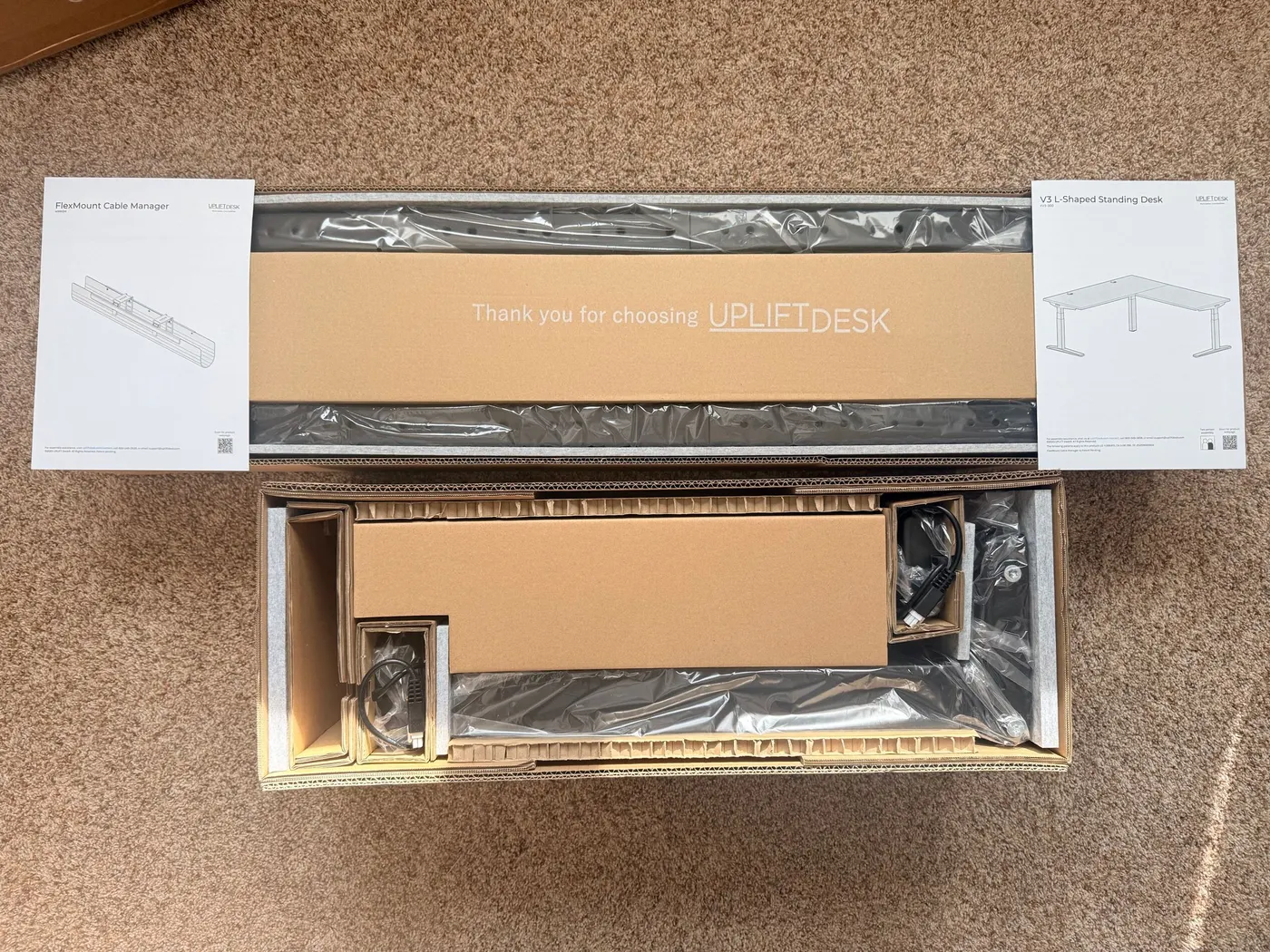
UPLIFT's packaging is the same standard as the regular V3. Foam padding, hard molded inserts at the corners, a printed "Thank you for choosing UPLIFTDESK" card on top of the foam tray. Nothing arrived scratched or dented. The shipping label on each box carries the same SKU codes UPLIFT references for the V3 L-Shaped 3-Leg frame: FV3-301B (the black frame variant) and the FV3-300 frame family number.
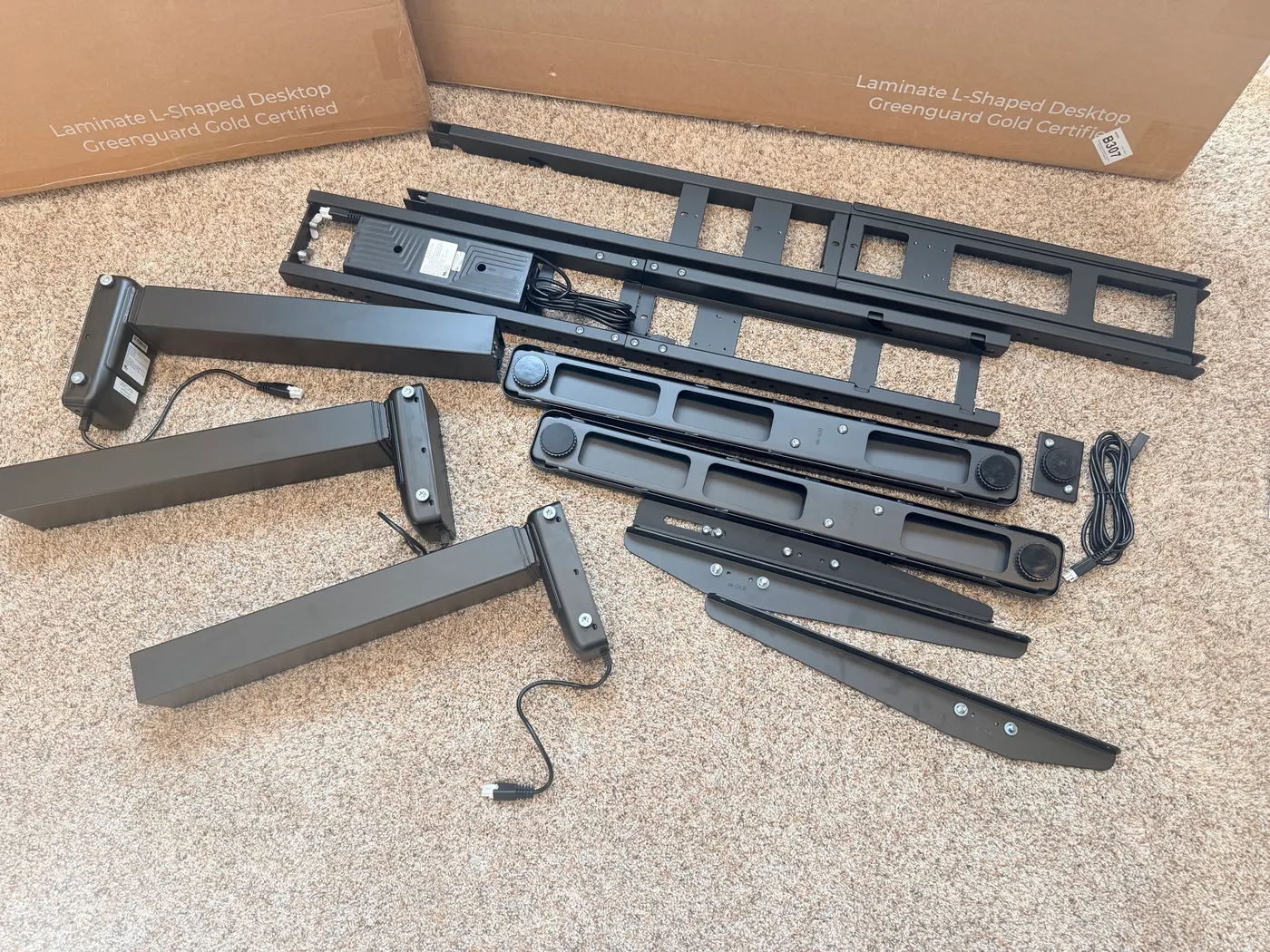
What's in the box once everything is unpacked:
- 2 short crossbar ends + 1 long crossbar end (for the corner leg)
- 1 control box (pre-installed on the long crossbar)
- 3 legs (2 standard side legs + 1 corner leg)
- 3 feet (2 standard + 1 corner)
- 2 side brackets + 2 corner brackets
- All hardware (M6 × 16 screws, M10 × 8 set screws, #10-24 × 5/8" truss head screws, #10 × 5/8" wood screws)
- FlexMount Cable Manager (included with every V3 frame)
- Hook & loop cable strips, cable mounts, keypad cable channel
- Advanced Comfort Angled Keypad
- Power cord
- 5mm Allen wrench (included tool)
- Printed assembly manual + Advanced Keypad Programming guide
You'll need a Phillips screwdriver. A powered drill with a Phillips bit makes the build noticeably faster because there are a lot of pre-drilled holes to drive. The included 5mm Allen wrench handles the set screws.
30-Minute Assembly (and the One Mistake to Avoid)
I had the V3 L-Shaped fully assembled and standing 30 minutes after the last box came open. That includes pausing to take photos. If I'd been moving non-stop, it would have been faster.
The assembly sequence follows the manual closely. Lay out the parts, attach the crossbar rails to the corner leg assembly, position the side legs, attach the brackets, screw everything down. The corner leg assembly is the only part that's specifically L-Shape geometry. Once that's in place, the rest is the same as putting together any UPLIFT V3 frame.
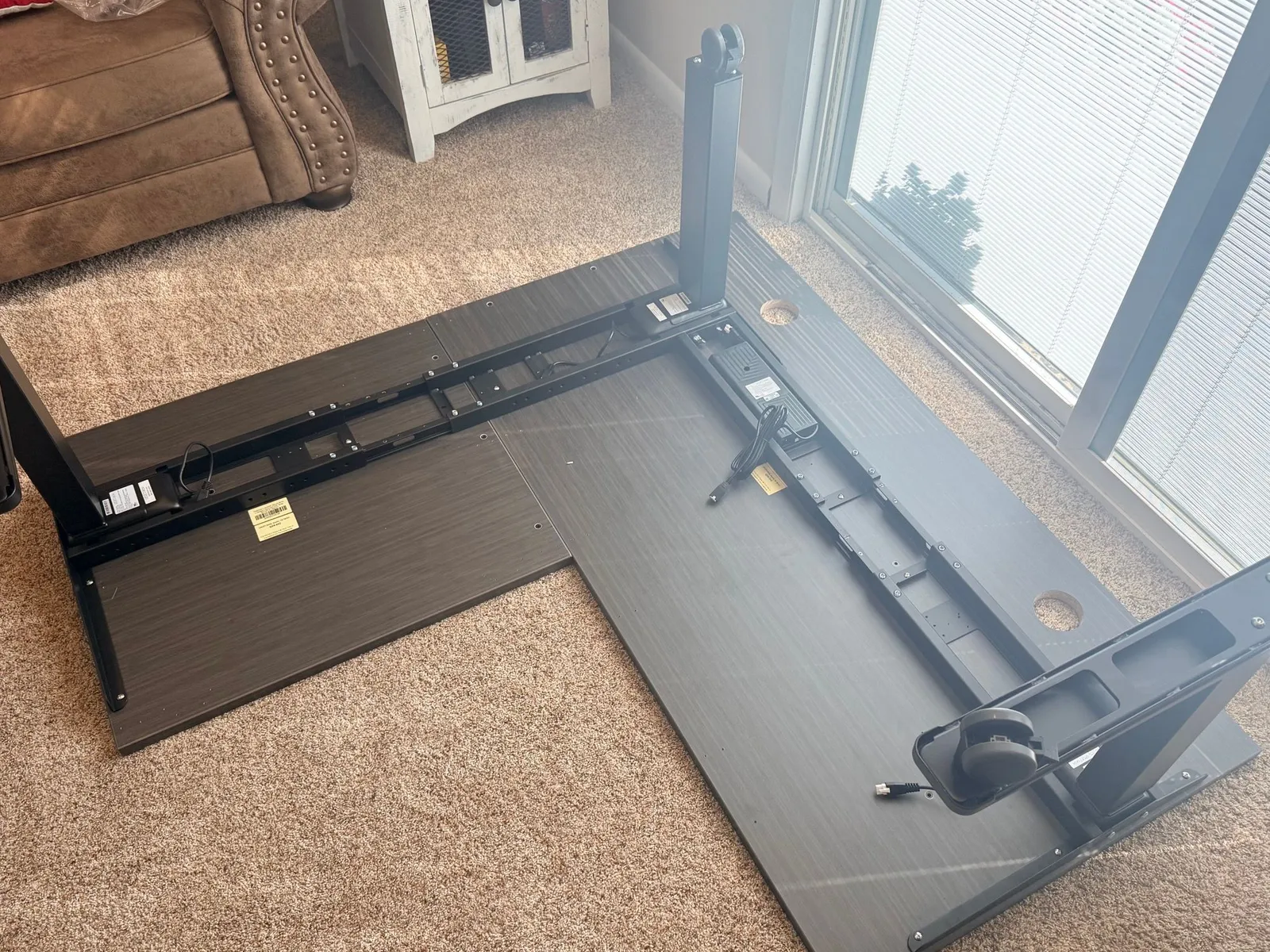
Then comes step 17. Flip the assembled frame and desktop upright. Two people recommended.
I tried to do it solo.
The desk doesn't fight you in any one direction. It just doesn't want to be flipped by one person. The L-shape geometry means there's no good place to grab from underneath without one corner pivoting out from under you. The combined weight of the laminate desktop sections and the frame is significant. I'd estimate the whole assembled chassis is well over 100 pounds at that point, and the long return adds awkward leverage that fights any attempt to roll it from one side.
I got it flipped, but I paid for it. One of the threaded inserts on the underside of the laminate desktop pulled out partway during the rotation. The screw didn't strip, the wood (the laminate substrate, which is engineered MDF) just couldn't hold the lateral force when the desktop torqued during the flip.
The desk still assembled and operates perfectly. The compromised insert isn't load-bearing during normal use. The support brackets and crossbar rails do the structural work. But it's the kind of thing that wouldn't have happened if I'd just asked someone to help me flip the desk.
The honest takeaway: if you're assembling the V3 L-Shaped alone, spend the upcharge for the solid wood desktop instead of the laminate. Solid wood handles threaded inserts much better than engineered MDF. The wood fibers grip the threads where the MDF can crumble under lateral stress. The price difference between the Ash Gray laminate and the solid wood top is noticeable but worth it for a desk that's supposed to last 15 years. If you have a partner or roommate to help you flip the assembled frame, the laminate is fine.
Will It Last? The Frame is the Real Product
The V3 standing desk frame is what you're actually buying. The desktop is interchangeable. The keypad has a few configurator options. The accessories are accessories. But the frame is what determines whether this desk feels like a $1,500 piece of office equipment or a $400 hardware-store special.
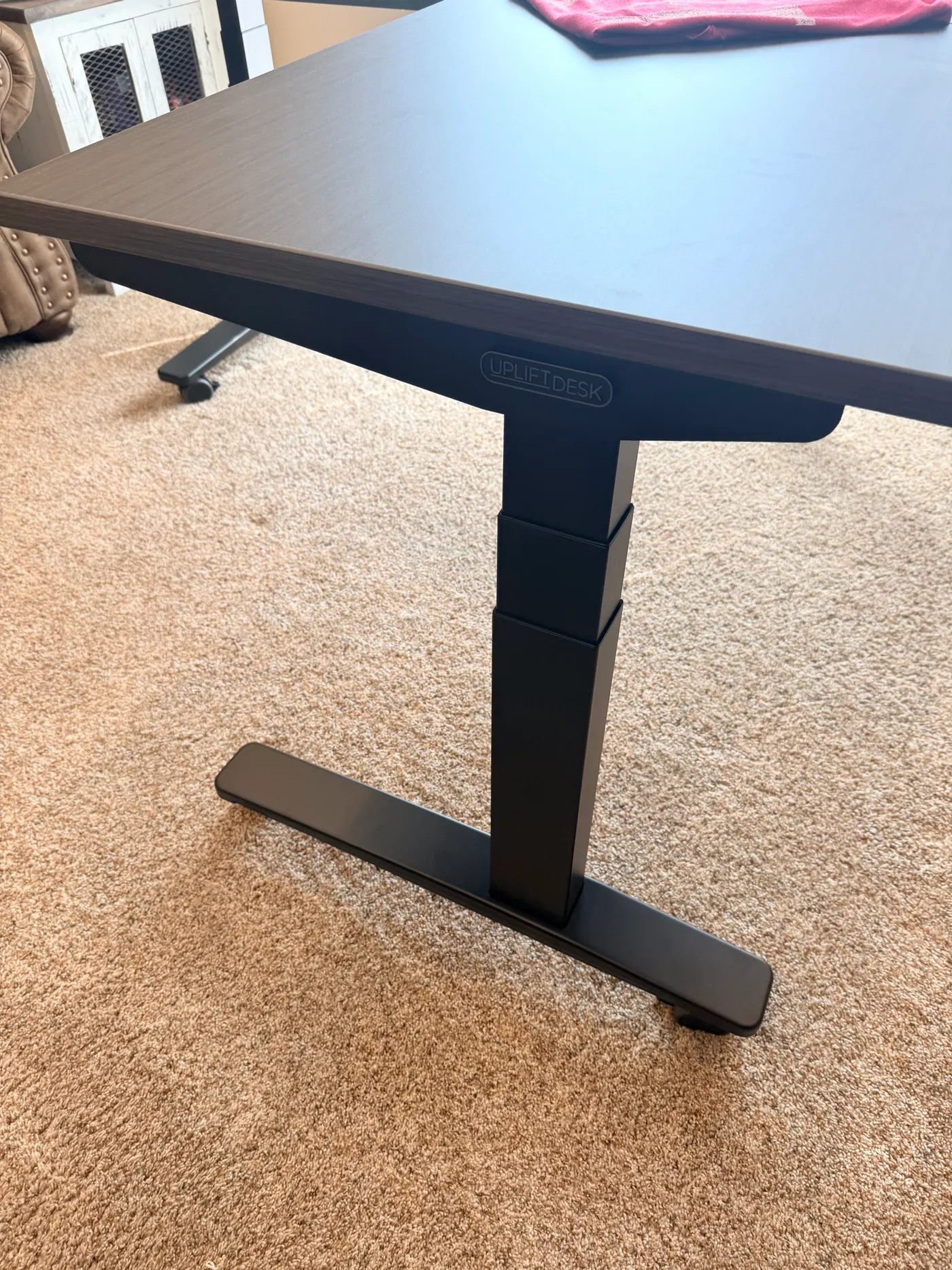
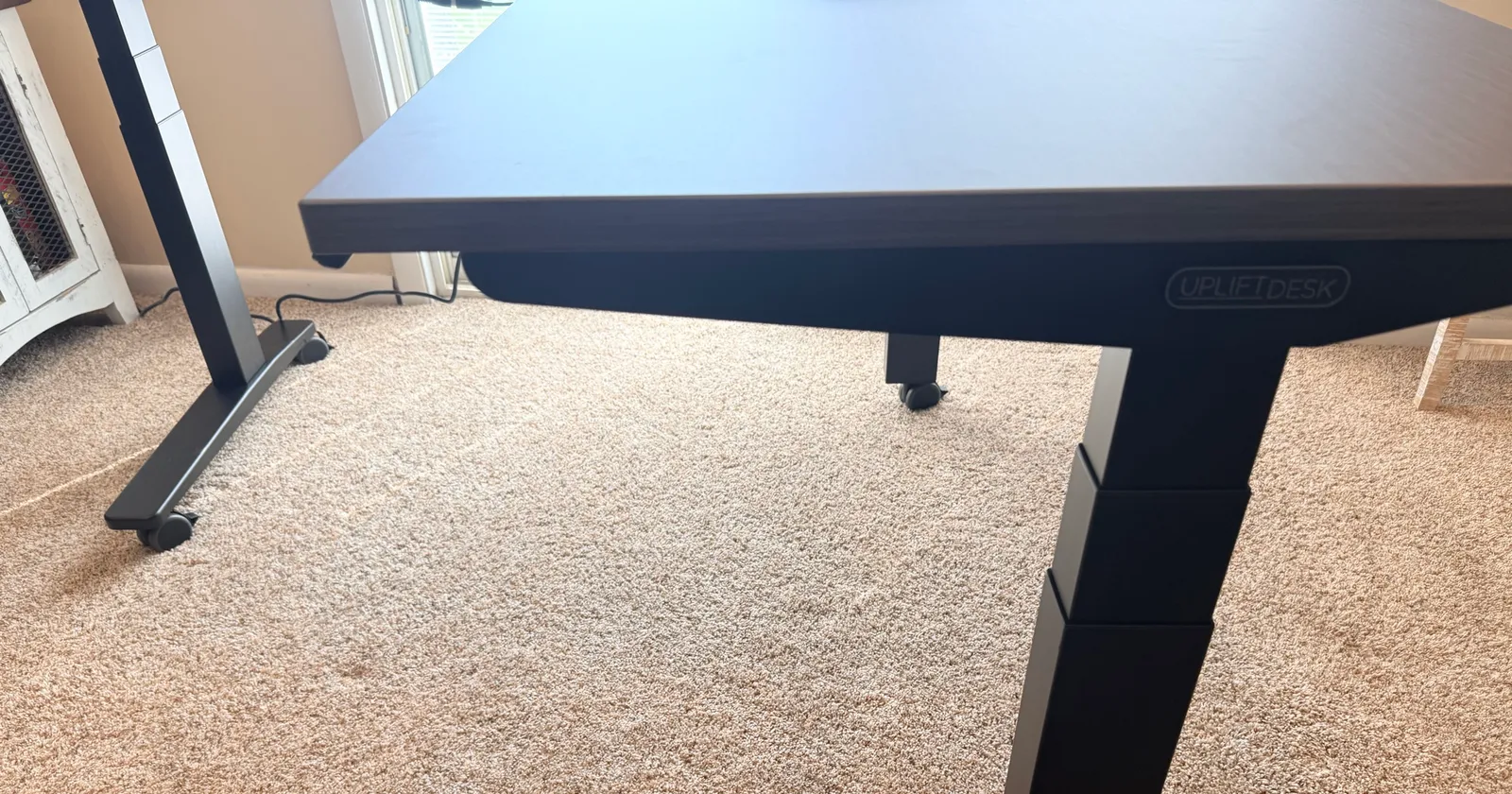
This frame is heavy. The kind of heavy where you set down one leg assembly and immediately decide you're not going to carry the second one across the room without a break. The steel is thick. The crossbar rails are rigid I-beams, not the bent-sheet metal you get on cheaper desks. The feet are the TremorGuard steel design with a wide footprint that resists side-to-side movement, and each one has a black UPLIFT logo plate on the side.
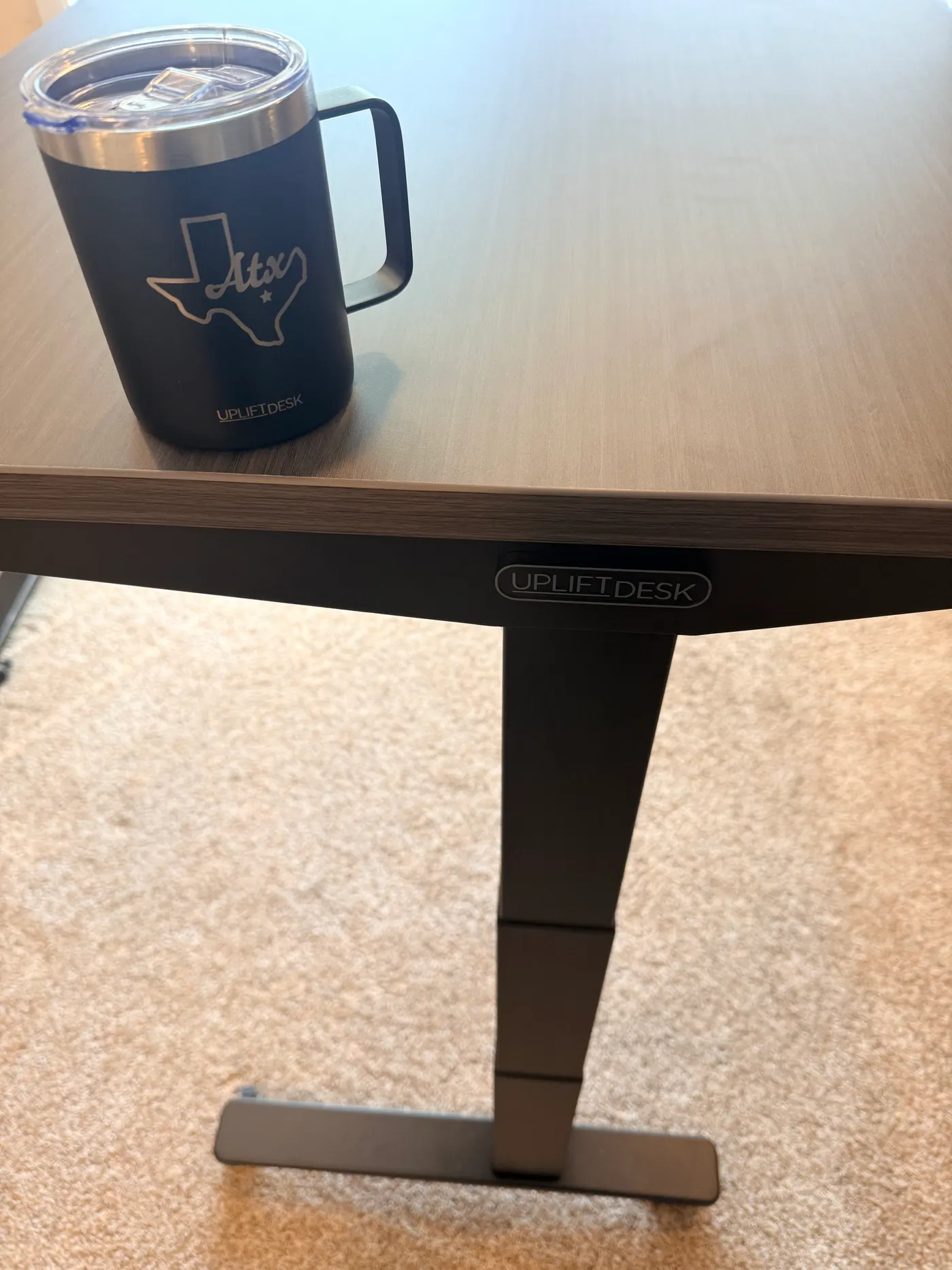
UPLIFT claims the V3 frame passes ANSI/BIFMA X5.5-2021 stability, strength, safety, and durability requirements. Picking the pieces up and lifting them into position, that claim doesn't feel like marketing copy. It feels like the engineering team specced for the certification and then added margin.
The V3 frame architecture has had a long time to mature. UPLIFT has refined the same core frame lineage across multiple generations, and the V3 generation feels like the result of an engineering team iterating on stability, material thickness, and accessory integration instead of chasing a flashy redesign.
UPLIFT offers a 15-year warranty on the V3 frame. After handling the components, I'd argue they could offer a 20-year warranty without losing a minute of sleep over warranty claims. The motors are tested to 20,000 cycles (the equivalent of adjusting the desk four times a day for 15 years), but the frame itself feels like it'll outlast the motors.
V3 vs V2 Frame: What the $100 Upgrade Buys You
The V3 frame is a checkout configurator option on UPLIFT's L-Shaped product page, sitting above the V2 frame as a +$100 upgrade. Here's what the V3 generation specifically adds on top of the V2 baseline:
| Feature | What V3 Adds Over V2 |
|---|---|
| Feet | TremorGuard steel feet with the wider ribbed footprint |
| Cable management | FlexMount Cable Manager included with the frame (a $59 accessory if bought separately) |
| Mounting system | Patented 90-point mounting system for accessories without drilling into the desktop |
| Compliance | Tested to the latest ANSI/BIFMA X5.5-2021 stability, strength, safety, and durability standard |
| Warranty | 15-year warranty carries over from the V2 |
| Price premium | +$100 over the V2 frame at checkout |
The verdict on the upgrade: take it. The TremorGuard feet do the heavy lifting on stability, and the FlexMount alone is a $59 accessory if you tried to add it later. The $100 V3 upgrade pays for itself in cable management hardware plus the stability headroom that comes with the latest BIFMA-certified frame.
How It Moves: Sit-to-Stand Speed, Sound, and L-Shape Stability
The Advanced Comfort Angled Keypad sits under the front edge of the main desktop on a slight downward tilt. The display reads in tenths of an inch. Four programmable presets, an M button to save heights, up/down arrows, and an angled face so you can read it while seated.
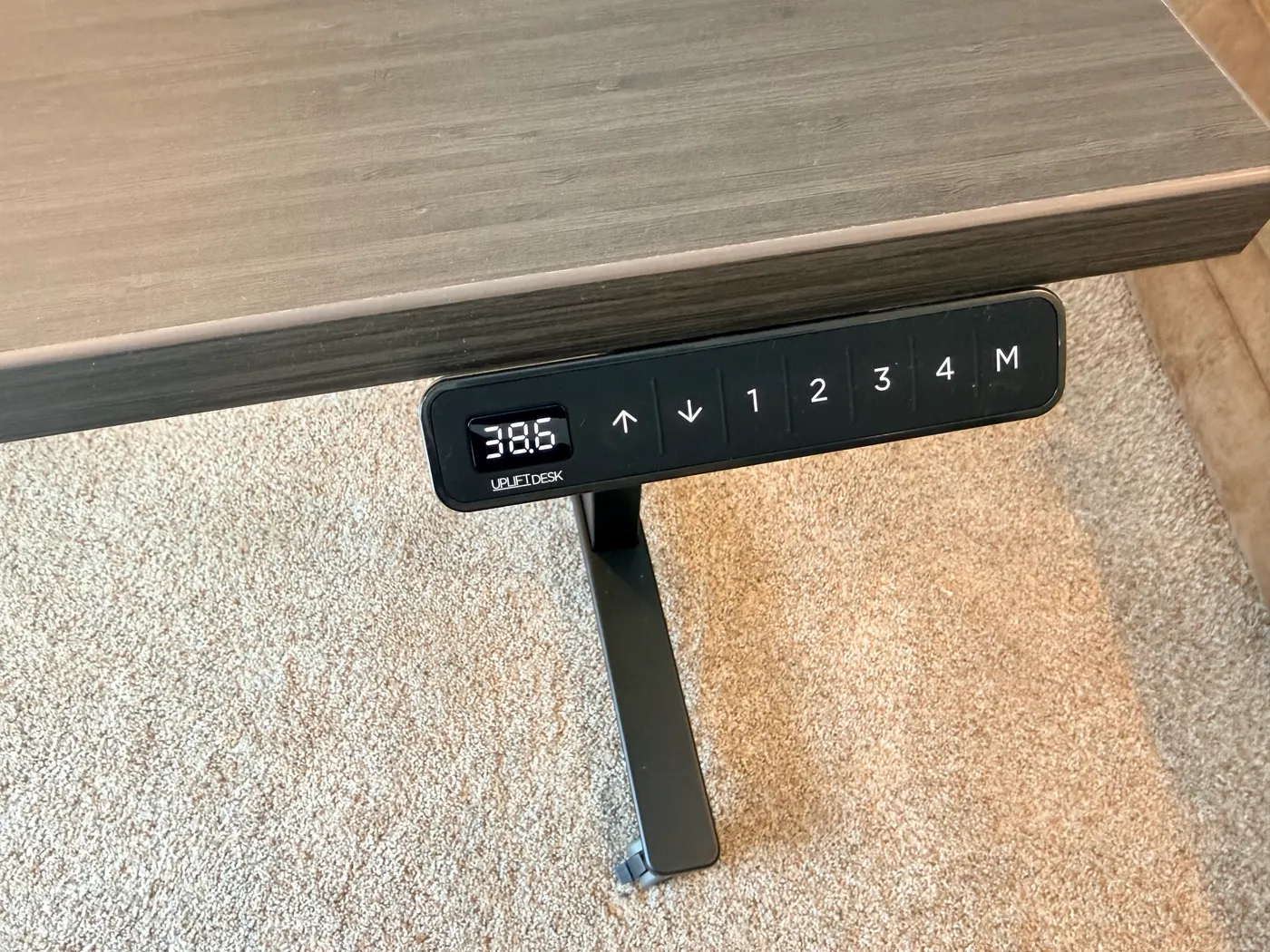
I cycled through the height range a dozen times during setup. Seated at 38.6 inches, standing at 44.9, all the way down to the minimum 22.6 and all the way up to 48.7. The desk moves smoothly through every transition. No grinding, no shudder, no audible motor whine. It is, hands down, the quietest standing desk I've ever owned.
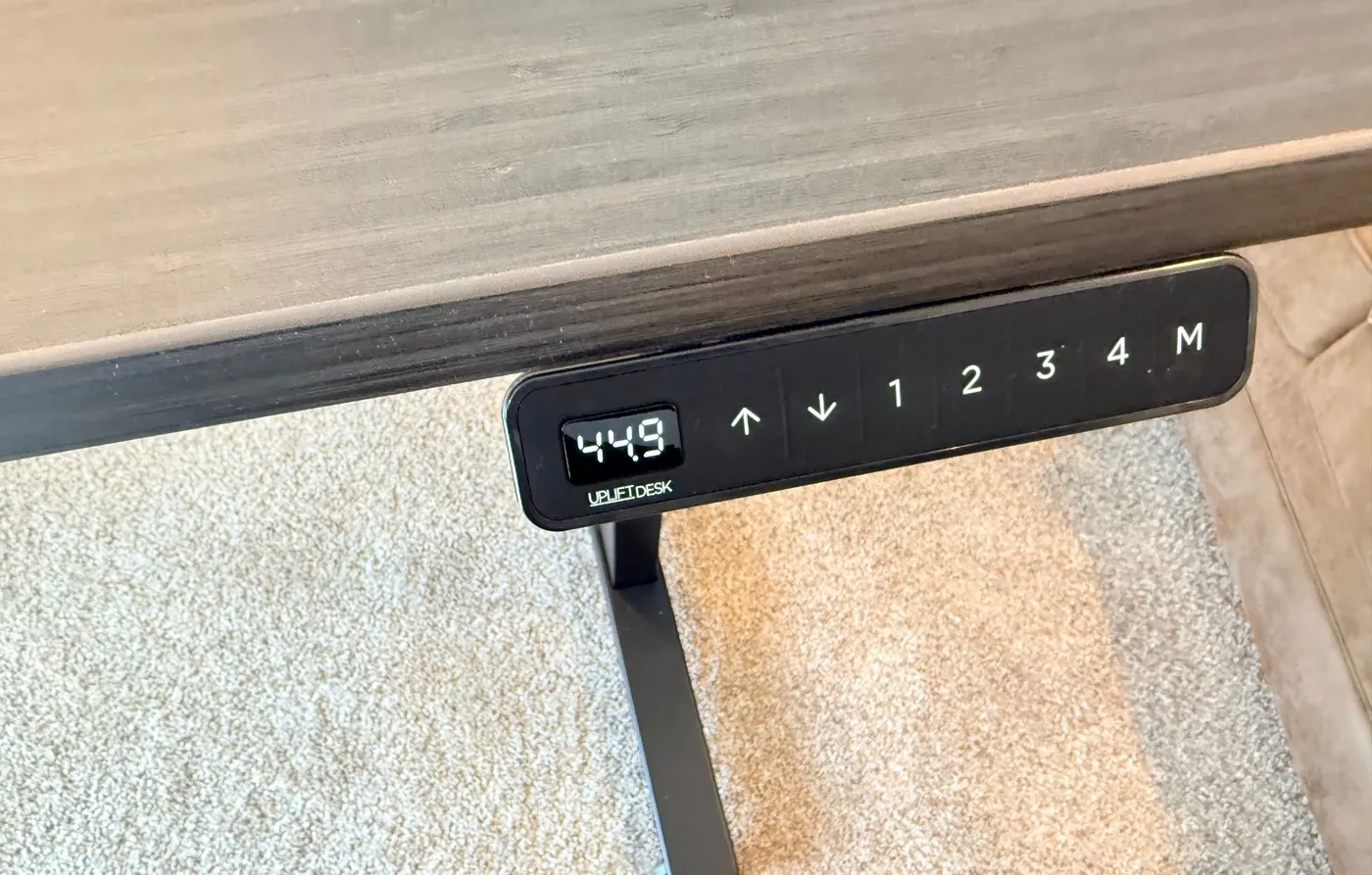
The triple-motor system (one in each leg, including the corner) is the V3 generation's upgrade for L-Shaped desks. The motors are synchronized through the control box, so all three legs travel at the same rate and the desktop stays level across the entire L. There's no detectable lag between the return and the main desktop at any height. Watching the L-shape rise out of seated position is pretty cool. UPLIFT made it work as one synchronized unit.
At full standing height with normal weight on the desk (laptop, keyboard, monitor, full coffee mug), I checked for wobble by leaning into the front edge of the main desktop, then the return, then the corner where they meet. No detectable flex. No L-shape sway. The TremorGuard feet keep the leg base planted, and the I-beam crossbars don't twist under lateral load. If you're coming from a cheaper L-Shaped desk where the corner is the weak point, the V3 frame solves that.
Cable Management Out of the Box
Every V3 frame ships with the FlexMount Cable Manager pre-installed on the control-box crossbar. It's UPLIFT's patent-pending cable management tray that adjusts to fit your power strip and cables without drilling additional holes in the desktop.
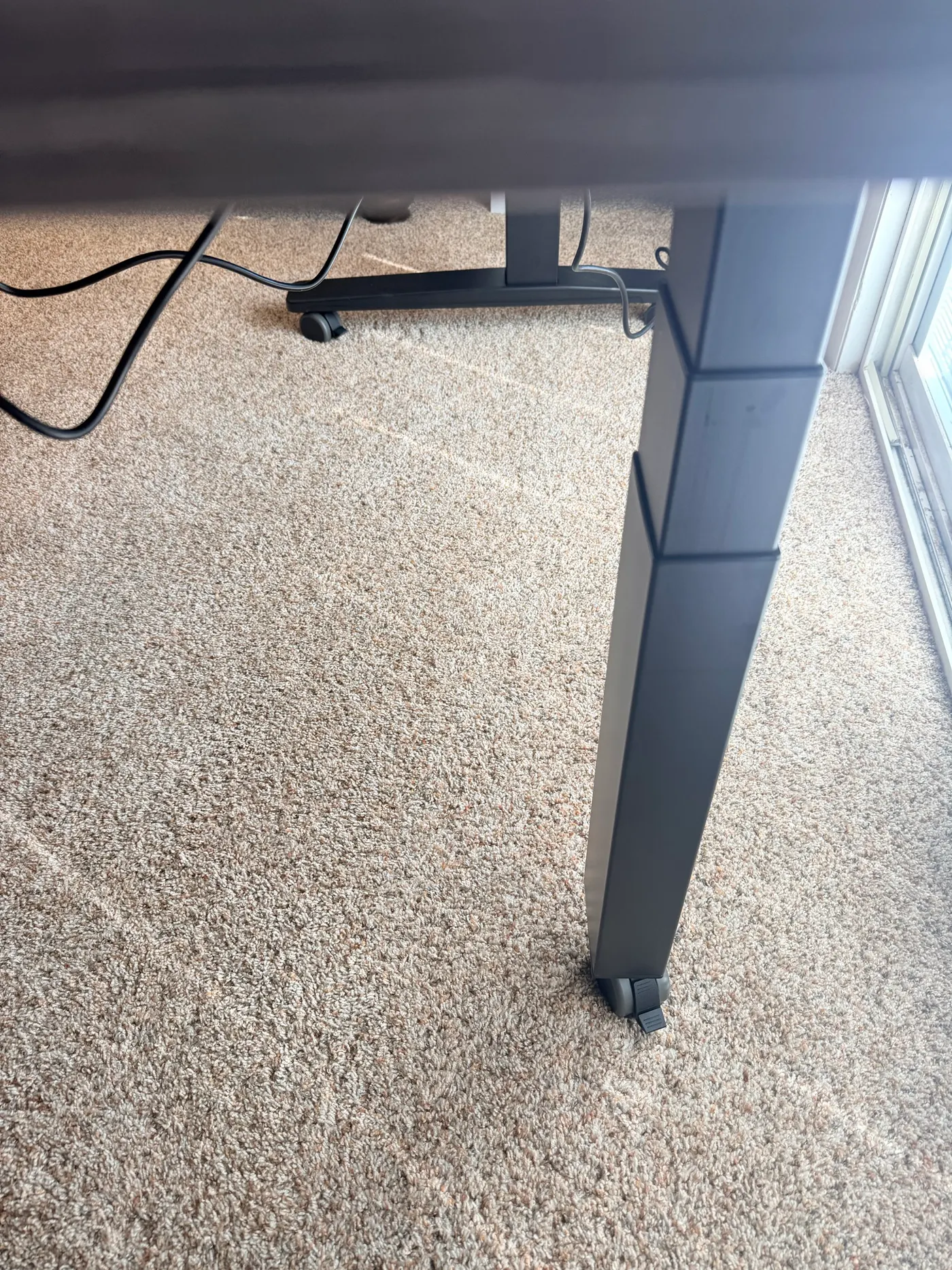
I haven't done a full cable routing plan yet (this is a first-impressions article, not a final-setup walkthrough), but the FlexMount is in place and the power cable to the control box is run through it. The Cable Manager handles roughly 10 pounds of cable weight per UPLIFT's specs, which is more than enough for a typical home office: power strip, monitor cables, dock cables, charger cables. The 90-point mounting system on the V3 frame also lets you attach accessories like a surge protector or a magnetic cable clip directly to the steel frame without drilling into the desktop.
What You Actually Get With the Order (Beyond the Desk)
UPLIFT included a stack of accessories with the desk that aren't on the spec sheet. Some of them are functional. Some of them are just fun. Worth mentioning because they're part of what you actually get when you order through UPLIFT, and most reviews don't talk about this stuff.
The free accessories on my order included:
- Clamp-on punching bag for the side of the desk. Yes, really. A small canvas heavy bag you clamp to the desk edge. I don't know what to say about this except that I respect the energy.
- Austin Short Sleeve T-Shirt (red, 2XL) with the UPLIFT block letters across the front. UPLIFT is headquartered in Austin, Texas.
- Cup holder + insulated mug with the Texas-state outline and the UPLIFT script underneath. The mug ended up sitting on the desk while I took the rest of the photos.
- Desk organizer set (gray) for pens, sticky notes, etc.
- Foot hammock that hangs from the bottom of the desk frame for under-desk leg support.
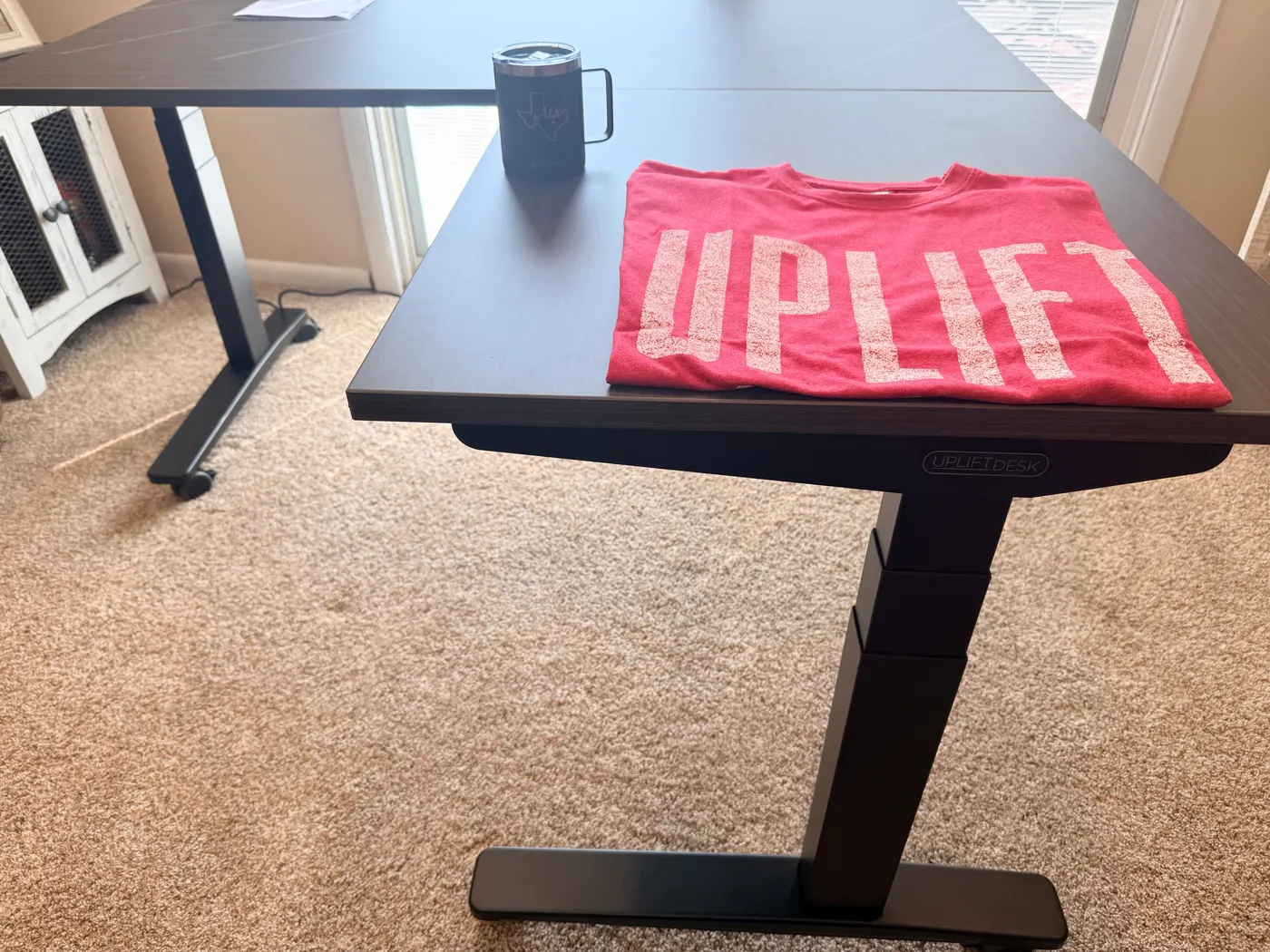
The amount of stuff UPLIFT packs into an order signals that the company cares about the customer experience past the point of sale. Plenty of standing desk brands would ship you a frame and a desktop in two boxes and call it done. UPLIFT ships you a complete first day, including a coffee mug for your first morning at the new desk.
Buying Tips: What I'd Configure Differently Next Time
Two changes for anyone ordering after reading this:
- Solid wood desktop instead of laminate if you're planning to assemble it yourself. The threaded inserts on the laminate version are the one weak point during the flip step. Solid wood handles lateral force on threaded inserts much better. The upcharge is worth it to protect the 15-year warranty.
- Ask for help on the flip step. This is true whether you go laminate or solid wood. The manual recommends two people for a reason, and the L-shape geometry makes solo flipping noticeably harder than flipping a rectangular desk. Twenty seconds of help from a partner, roommate, or neighbor saves you from the threaded insert risk entirely.
Everything else about the order I'd repeat. The V3 frame upgrade is worth the extra $100 over the V2. The Advanced Comfort keypad is worth the extra $29 over the basic paddle keypad (the angled face is noticeably easier to read while seated). The two pop-up power grommets are a quality-of-life upgrade for any L-shape because you've got two desktop surfaces that both benefit from clean power routing.
Who This Desk Is For
The V3 L-Shaped Standing Desk makes sense if any of these describe you:
- Corner space to use. You have a corner in your home office that's currently wasted floor space and you want a desk that uses both walls. The L-Shape solves what a rectangular desk can't.
- Multi-monitor or dual-purpose surface. You run a multi-monitor setup where the secondary monitor or auxiliary gear (printer, audio interface, second laptop, podcast mic) needs its own dedicated surface. The return desktop is where that gear goes. See the multi-monitor desk setup guide for layout ideas.
- Build-quality buyer. You want the structural feel of a $1,500 desk and you're not willing to compromise on frame quality. The V3 frame is engineered for the next 15 years, not the next 18 months.
- Quiet operation matters. You value silent motor operation. Recording setups, streaming setups, baby-sleeping-in-the-next-room setups, shared offices, quiet hours. The V3 motor is the quietest I've used. If a walking setup is part of that plan, the UPLIFT Inclining Walking Pad review covers whether coworkers can hear it on calls.
- Long-warranty buyer. You want a 15-year warranty from a US-based brand that's been refining the same product for over 20 years.
The V3 L-Shaped doesn't make sense if:
- You only need a rectangular footprint. The L-Shape costs more for floor space you won't use. The regular V3 Standing Desk covers rectangular setups for less money, or the UPLIFT Parsons gives you a solid-hardwood rectangular option.
- You need a rectangular footprint with four synchronized motors. The UPLIFT V3 4-Leg Standing Desk pairs a 535 lb rated capacity with a rectangular four-leg frame. Choose it when you want UPLIFT's most substantial rectangular V3 frame and do not need an L-shaped work surface.
- You're shopping under $700. The V3 L-Shaped doesn't fit there. Look at the FlexiSpot E7 Pro vs UPLIFT V3 comparison or the best standing desks under $700 guide for rectangular options at that price.
Frequently Asked Questions
How much does the UPLIFT V3 L-Shaped Standing Desk cost?
Pricing starts at $1,249-$1,500+ for the smallest 60"×60" laminate L-Shape with the standard V2 frame. The V3 frame upgrade adds $100, the Advanced Comfort Angled Keypad adds $29, and a pair of pop-up power grommets adds about $158. A fully-loaded V3 L-Shaped with solid wood top runs higher. Real-world configurations land between roughly $1,250 and $2,000 depending on desktop material, size, and accessories.
How long does the UPLIFT V3 L-Shaped Standing Desk take to assemble?
Thirty minutes from the moment I had the four desk boxes open to the moment I had the desk fully assembled, plugged in, and cycling through the height range. That includes pauses to take photos. A faster assembler could probably do it in 20 minutes. The L-Shaped takes slightly longer than a rectangular V3 because of the corner leg assembly and the two-section desktop, but it's still a fast build.
Do I need two people to assemble the V3 L-Shaped?
Two people are required for one specific step: flipping the assembled frame and desktop upright after the components are attached. I tried to flip mine solo and damaged a threaded insert in the laminate desktop as a result. The desk still works, but it's the kind of mistake that's completely avoidable with another set of hands. Everything else in the assembly is doable solo.
Is the motor on the V3 L-Shaped quiet?
Yes. It's the quietest standing desk motor I've used. No grinding, no whine, no audible hum during transitions. The triple-motor system (one in each leg) is synchronized through the control box, so the desktop stays level across the entire L-shape as it moves. UPLIFT specs the motors at under 50 dB, which matches what I observed.
Does the V3 L-Shaped wobble at full standing height?
No. I checked at 44.9 inches with normal load on the desktop and couldn't detect any flex or sway by leaning into the front edge, the return, or the corner where the two sections meet. The TremorGuard feet and I-beam crossbar rails are doing what UPLIFT claims they do. Cheaper L-Shaped desks usually fail at the corner under standing load; the V3 frame solves that.
What's the difference between the V3 and V2 frame on the L-Shaped?
The V3 is a +$100 configurator upgrade selected under "Frame Color & Type" at checkout. The V3 brings the TremorGuard feet, the I-beam crossbar rails, the FlexMount Cable Manager, the patented 90-point mounting system, and the Advanced Comfort Angled keypad. The V2 frame is still the default on the product page, so if you specifically want V3, make sure that option is selected before you complete checkout.
Should I get the V3 L-Shaped or the V3 4-Leg?
Both desks have a 535 lb rated lifting capacity, so choose by footprint. The V3 L-Shaped uses a three-leg frame and return surface for corner workstations. The V3 4-Leg uses four synchronized motors under a rectangular desktop. Choose the L-Shaped for two work surfaces. Choose the 4-Leg for the most substantial rectangular V3 frame.
Is the solid wood desktop worth the upgrade over the laminate?
If you're assembling the desk solo, yes. The threaded inserts on the laminate version are vulnerable to lateral force during the flip step (the part of assembly where you rotate the frame-plus-desktop into upright position). Solid wood handles threaded inserts much better because the wood fibers grip the threads where engineered MDF can crumble. If you have a second person to help flip the desk, the laminate is fine for everyday use once it's assembled.
What's included in the box?
The frame components (3 legs, 3 feet, crossbar rails and ends, side and corner brackets, control box pre-installed on the long crossbar), all hardware, the FlexMount Cable Manager, hook and loop cable strips and mounts, the Advanced Comfort Angled keypad, the power cord, a 5mm Allen wrench, and the printed assembly manual. The L-shaped desktop ships in two flat boxes (one for the main section, one for the return), plus a fifth box for the accessories UPLIFT throws in. You'll need a Phillips screwdriver of your own. A powered drill speeds up assembly considerably.
What's the warranty?
15 years on the V3 frame. The motors are tested to 20,000 cycles, which is roughly four height adjustments per day for 15 years. UPLIFT support is US-based out of Austin, Texas. Same-day shipping on orders placed before 3:00 PM Central.
What's the weight capacity of the UPLIFT V3 L-Shaped?
The V3 L-Shaped 3-Leg frame is rated for 535 lb of total load. That leaves substantial capacity for a multi-monitor setup, desktop computer, printer, and other equipment. If you want the same rated capacity under a rectangular desktop, see my UPLIFT V3 4-Leg review.
What sizes does the V3 L-Shaped come in?
Standard L-Shape configurations include 60"×60", 72"×60", and 80"×60" with main desktops, plus smaller 60"×30" return options. The return is reversible (left or right side) at order time. Custom solid wood sizes are also available through the configurator. Mine is the 60"×60" with the return on the right side, which fits comfortably in a 7-foot corner of my home office.
Can I install monitor arms on the V3 L-Shaped?
Yes. The V3 frame has 90 patented mounting points across the steel crossbar and feet, so you can attach UPLIFT monitor arms directly to the frame without drilling into the desktop. The two desktop sections also accept standard C-clamp monitor arms at any rear edge. For multi-monitor L-Shape setups, see the best monitor arms for desk space guide for arm-to-monitor pairing.
How does the V3 L-Shaped compare to the UPLIFT Parsons or the regular V3?
The Parsons is UPLIFT's solid-hardwood rectangular standing desk, focused on aesthetics and material quality. The regular V3 is the rectangular version of this same frame architecture. The V3 L-Shaped is the corner-fit variant. If you have a rectangular space, save money with the V3. If you have a corner you want to fill, the L-Shaped is the answer. The V3 vs Parsons comparison covers the materials and price trade-offs in depth.
Does the V3 L-Shaped have anti-collision sensors?
Yes. The control box monitors motor current on each leg and stops the desk if it detects unexpected resistance. The sensitivity is adjustable from three preset levels through the keypad.
What's the L-Shape footprint, exactly?
For the 60"×60" configuration I ordered: the main desktop is 60" long × 30" deep, and the return desktop is 60" long × 24" deep, joined at the corner. Total floor footprint is roughly 60" along each leg of the L from the outer corner, so you need a clear corner with at least 7 feet of wall length on the shorter side. The frame's leg footprint sits inside the desktop outline so it doesn't extend the floor footprint beyond the desktop itself.
Related Guides
UPLIFT lineup
- UPLIFT V3 4-Leg Standing Desk Review: the four-motor rectangular alternative, with hands-on assembly photos and real drawbacks
- Which UPLIFT Standing Desk Is Right for You?: full UPLIFT lineup compared head-to-head
- UPLIFT V3 Standing Desk Review: the rectangular V3 reviewed in detail
- UPLIFT V3 Standing Desk Unboxing: full unboxing of the rectangular V3 with chair and walking pad
- UPLIFT Parsons Standing Desk Review: the solid-hardwood rectangular alternative
- UPLIFT V3 vs Parsons Comparison: picking between the two UPLIFT flagship desks
- UPLIFT Clarksville Ergonomic Chair Review: the chair I'd pair with this desk
Cross-shopping
- FlexiSpot E7 Pro vs UPLIFT V3: head-to-head with the top competitor
- Best Standing Desks Under $700: if the V3 L-Shaped is over budget
- Complete Home Office Setup Under $1,000: total-build budget perspective
Set up your L-shape workstation
- Multi-Monitor Desk Setup Guide: how to use the return desktop for a dual-monitor or triple-monitor rig
- Best Monitor Arms for Desk Space: arms that work with the V3's 90-point mounting system
- Best Ergonomic Chairs Under $600: chair pairing options
- Best Ergonomic Footrests for Standing Desks: the foot hammock UPLIFT throws in is one option, but there are better ones
- Best Desk Lamps for Home Office: lamp options that mount cleanly on the V3 frame
- Desk Cable Management Setup Guide: what to do with all the cables an L-shape generates
- Best Ergonomic Desk Setup: Complete Guide: full workstation walkthrough