Disclosure: UPLIFT Desk provided this chair at no cost for review. All opinions are my own. This post contains affiliate links.
I've been sitting in the UPLIFT Clarksville Ergonomic Chair for about a week now, pairing it with my UPLIFT V3 Standing Desk for a full workday rotation of sitting, standing, and walking. At $359, the Clarksville sits in a competitive price range where you can get chairs from Branch, Sihoo, and even the entry-level Steelcase. The question isn't whether it's a good chair. The question is whether it's worth choosing over the alternatives at the same price.
Check today's price $359
After a week of 6-8 hour days, the short answer is yes. The Clarksville is the kind of chair where you sit down, adjust it once, and then forget about it. I don't find myself fidgeting over the right setup, and after sitting for multiple hours straight, I don't feel the urge to stretch. That's the highest compliment I can give an office chair. If you're comparison-shopping in this price range, see the full guide to ergonomic chairs under $600.
Is it worth it? Yes, at $359. The UPLIFT Clarksville Ergonomic Chair is the chair for someone who doesn't want to think about their chair. During my one-week use period, the flexible lumbar frame stayed in contact as I changed position, the 3-inch foam seat didn't bottom out, and the mesh back breathed well through long sessions. UPLIFT publishes a 15-year warranty. The armrests have some play in them, which is the one area that feels less refined than the rest of the chair.
Key Specs
| Spec | Value |
|---|---|
| Price | $359 |
| Lumbar Support | Four height positions; flexible frame moves with the backrest |
| Seat | 3-inch molded polyurethane foam, waterfall edge |
| Seat Depth | 17.3" to 20" adjustable |
| Armrests | 3-way adjustable (height, depth, pivot), removable |
| Recline | 2:1 synchro-tilt, 3 tension settings, 5 lock positions |
| Mesh Back | Woven nylon, breathable |
| Weight Capacity | 300 lb |
| Published Standard | UPLIFT says it meets ANSI/BIFMA X5.1-2017 |
| Warranty | UPLIFT Desk 15-year warranty |
| Tested By | 6'0", daily use for one week paired with UPLIFT V3 Standing Desk |
First Impressions
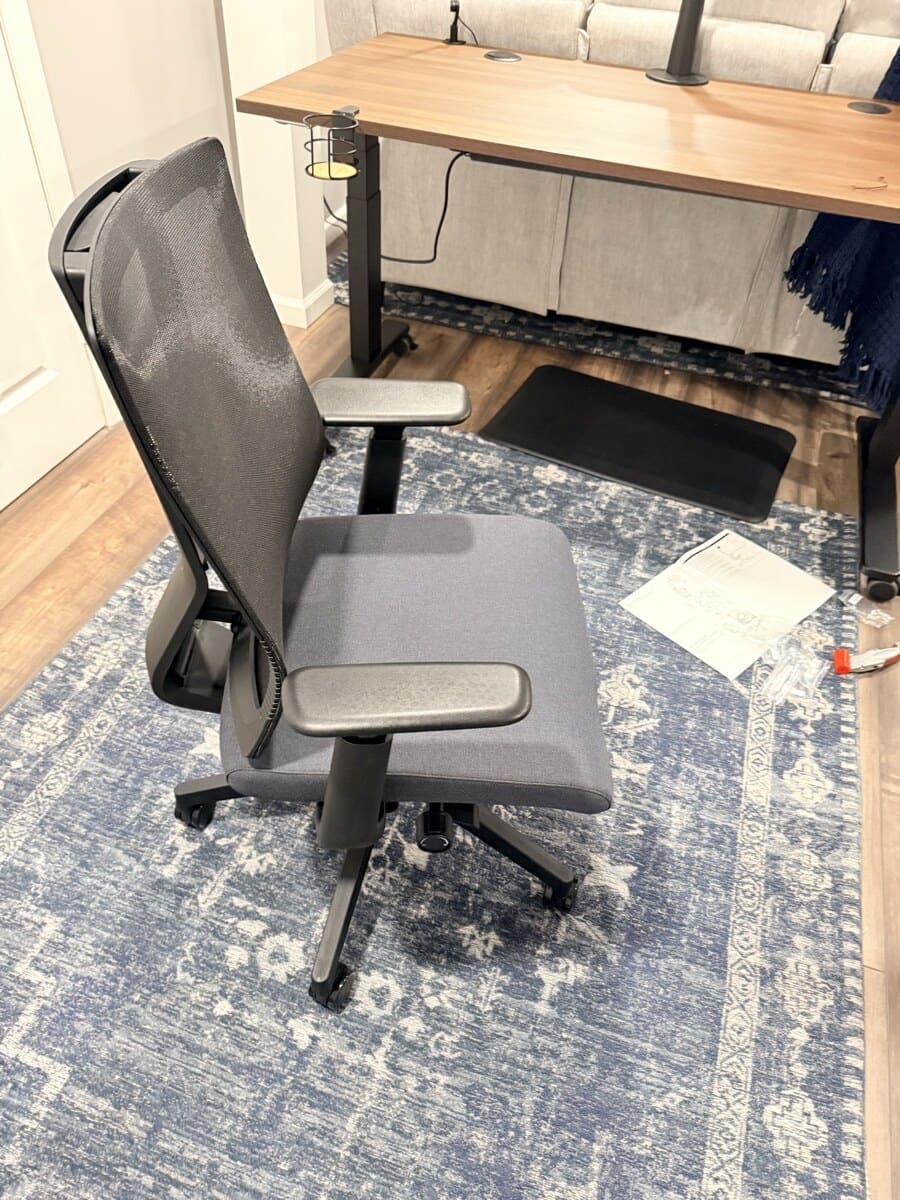
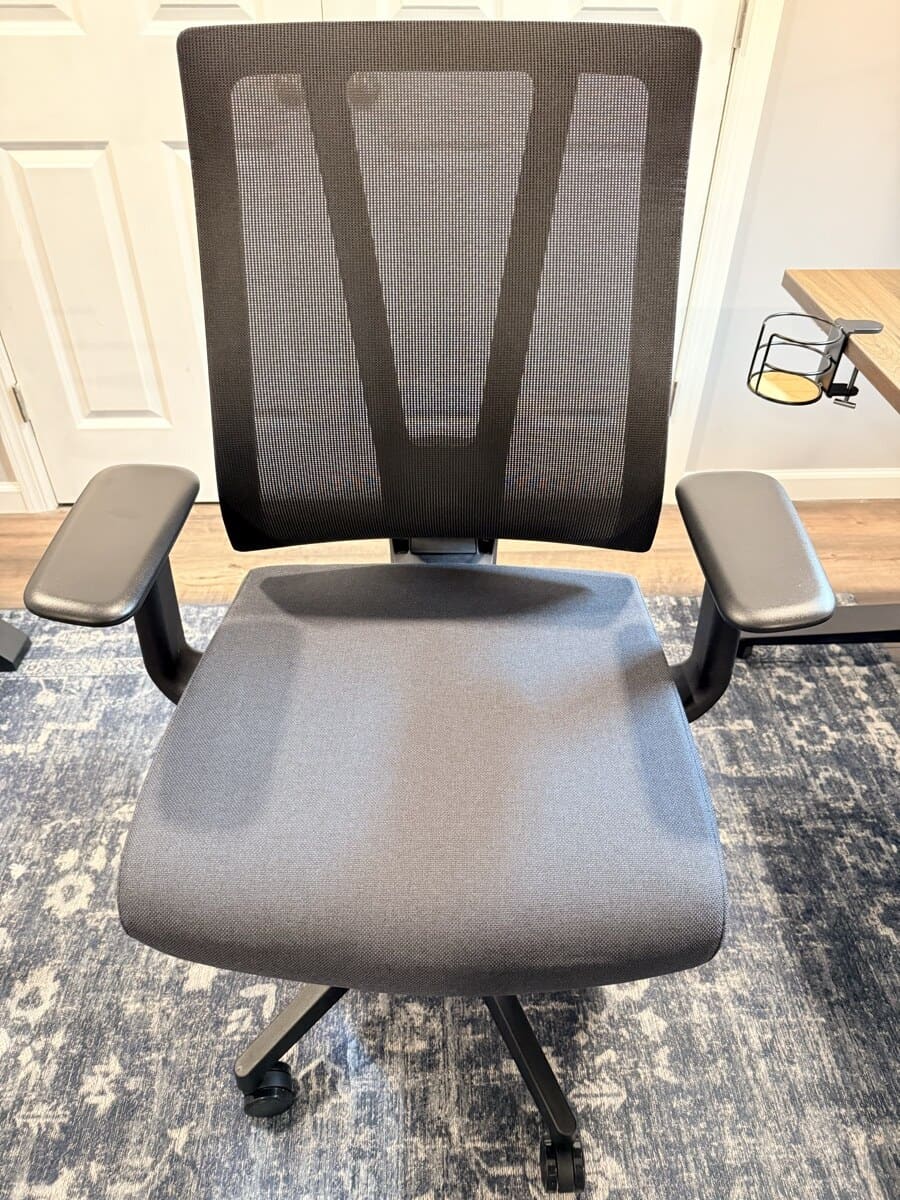
The Clarksville arrived as part of a full UPLIFT Desk workstation shipment. Assembly was straightforward. Everything came packed securely, and the parts layout made it clear which pieces went where. Once assembled, the first thing I noticed was the mesh back. It's firm without being stiff, and it breathes immediately. No break-in period for the mesh.
The foam seat is a different story. It's firm on day one. Not uncomfortable, but noticeably firmer than you might expect at its current price. After about three days of full workdays, the foam settled into a comfortable density that supports without pushing back too hard. If you're coming from a plush gaming chair or a couch, give it a few days.
Lumbar Support: The Standout Feature
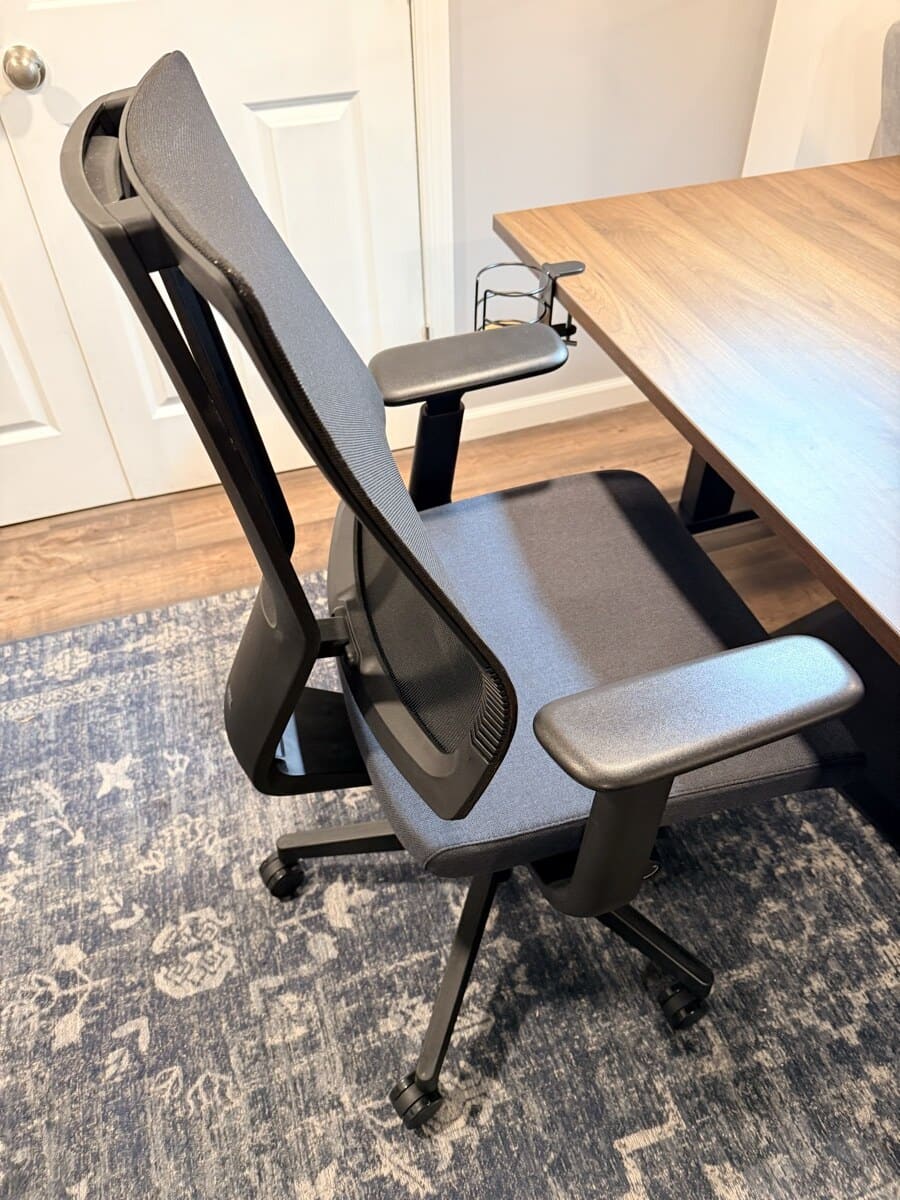
The lumbar support is what makes this chair different from many alternatives near its current price. It has four height positions that you set by reaching behind the backrest and pulling up until it clicks. Each click raises the backrest and lumbar contact point. Pulling past the fourth position resets it to the lowest height. These are height positions, not firmness levels.
I'll be honest: I initially couldn't figure out how to adjust it. I misplaced the instructions and spent the first couple days at the lowest height. I'm used to automatic lumbar controls in a car, so setting this manually by feel made it seem less refined than I was expecting. But once I found the highest position, everything clicked. That's all I needed.
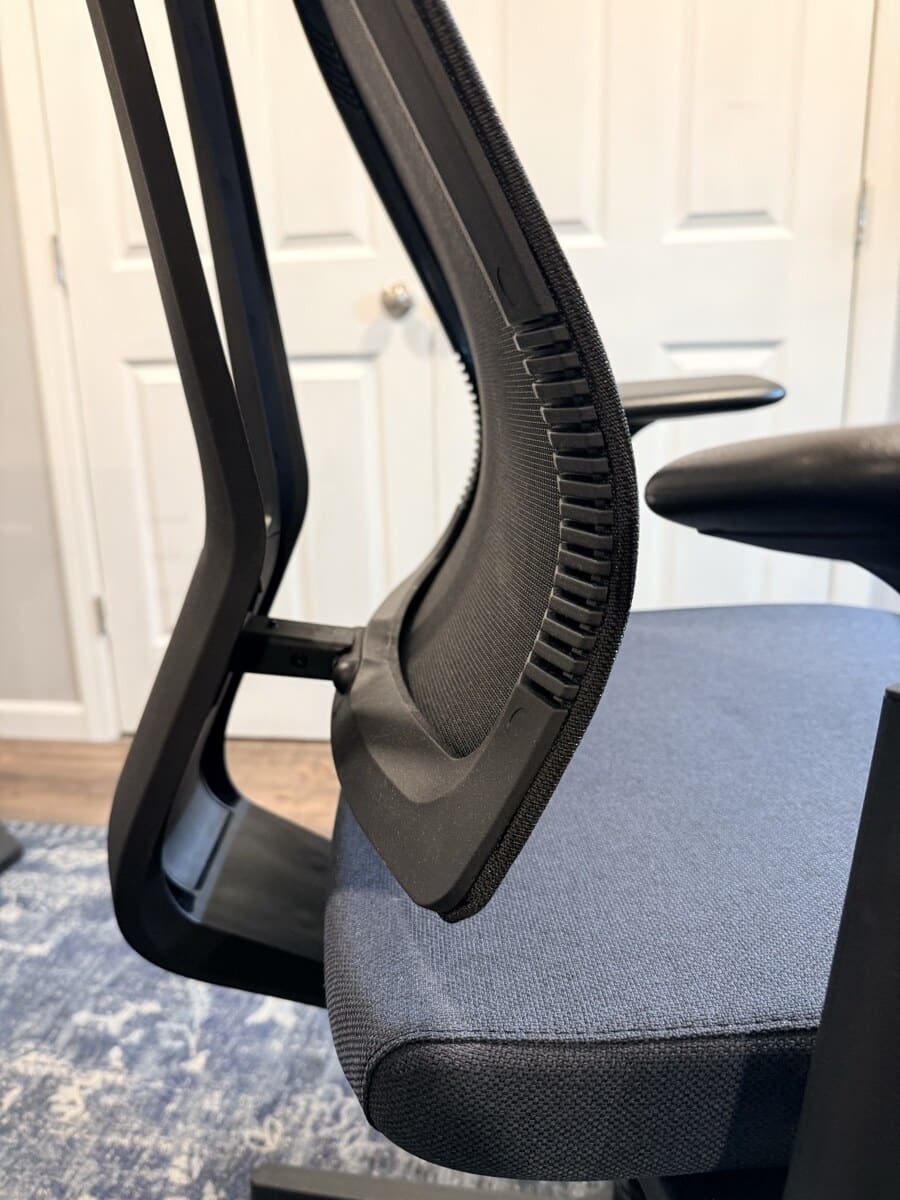
What stood out during my week with the chair is that the lumbar stayed in contact as I changed position. Lean forward to type intensely, and I could still feel the support. Recline fully, and it followed. After a while at the highest position, I noticed I was sitting straighter without consciously trying to. That observation is limited to my 6-foot frame and the one-week evidence period.
UPLIFT says its founder, a certified professional ergonomist, designed this lumbar system. The low-profile frame flexes in tandem with the backrest rather than using a bulky fixed pad.
Seat Comfort and Foam
The 3-inch molded polyurethane foam seat with waterfall edge is comfortable in the way that good furniture is comfortable. You don't think about it. I don't notice pressure points behind my knees. I don't feel the foam bottoming out under my weight. The chair just supports me and gets out of the way.
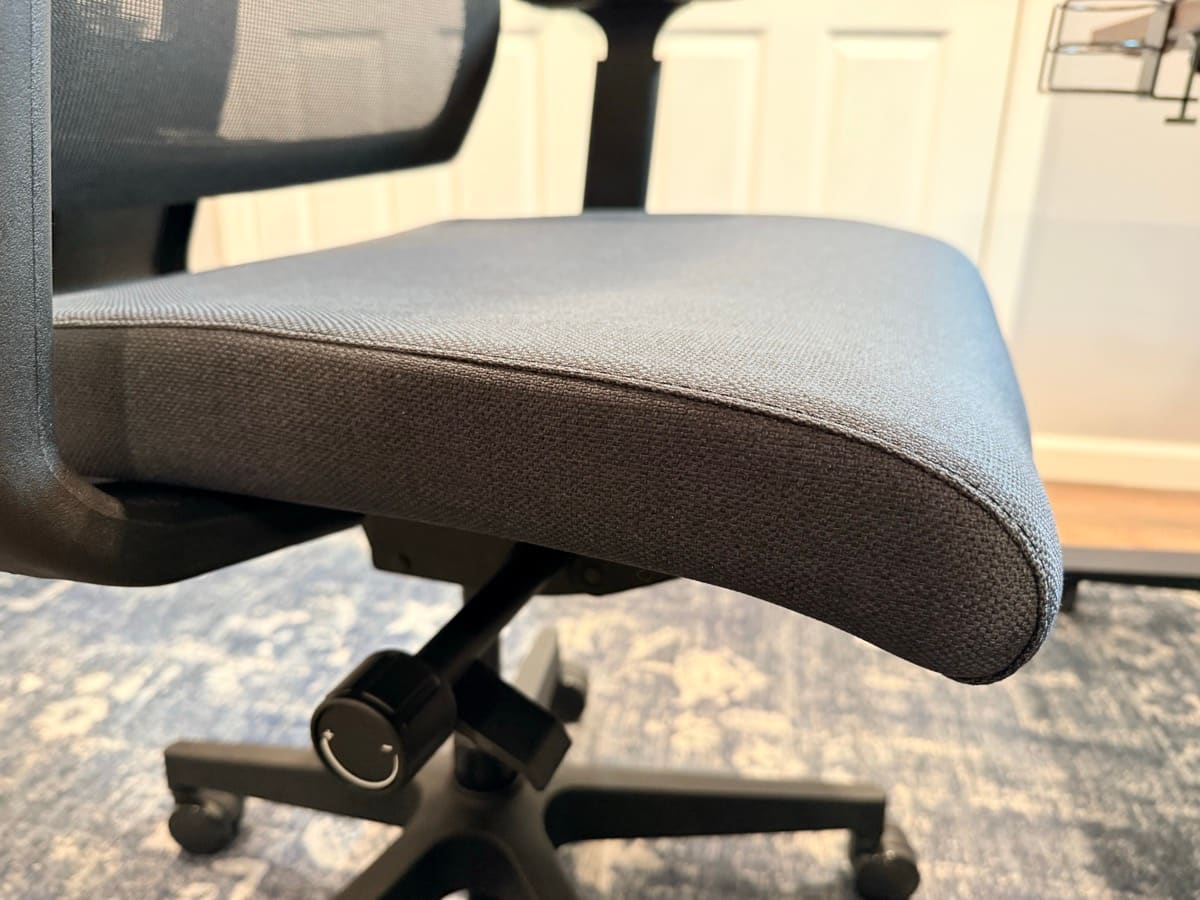
At 6 feet tall, the seat depth adjustment range worked well for my leg length. The waterfall edge, the gentle downward curve at the front of the seat, kept the seat from pressing into the backs of my knees during the review period.
If I didn't know this was a 3-inch foam cushion, it isn't something I would have specifically thought about. That's the point. You're not supposed to notice your chair. You're supposed to notice your work.
Recline and Synchro-Tilt
The 2:1 synchro-tilt means the back reclines 2 degrees for every 1 degree the seat tilts. In practice, this lets you lean back while keeping your feet flat on the floor. The three tension settings control how much resistance you feel when reclining.
I prefer the lowest tension setting. When I first leaned back on the loosest setting, I said "whoa" out loud because the recline was so free. It felt almost too loose at first, but I quickly got used to it and now it's the only setting I use. The fluid rocking motion at low tension is actually relaxing during long calls.
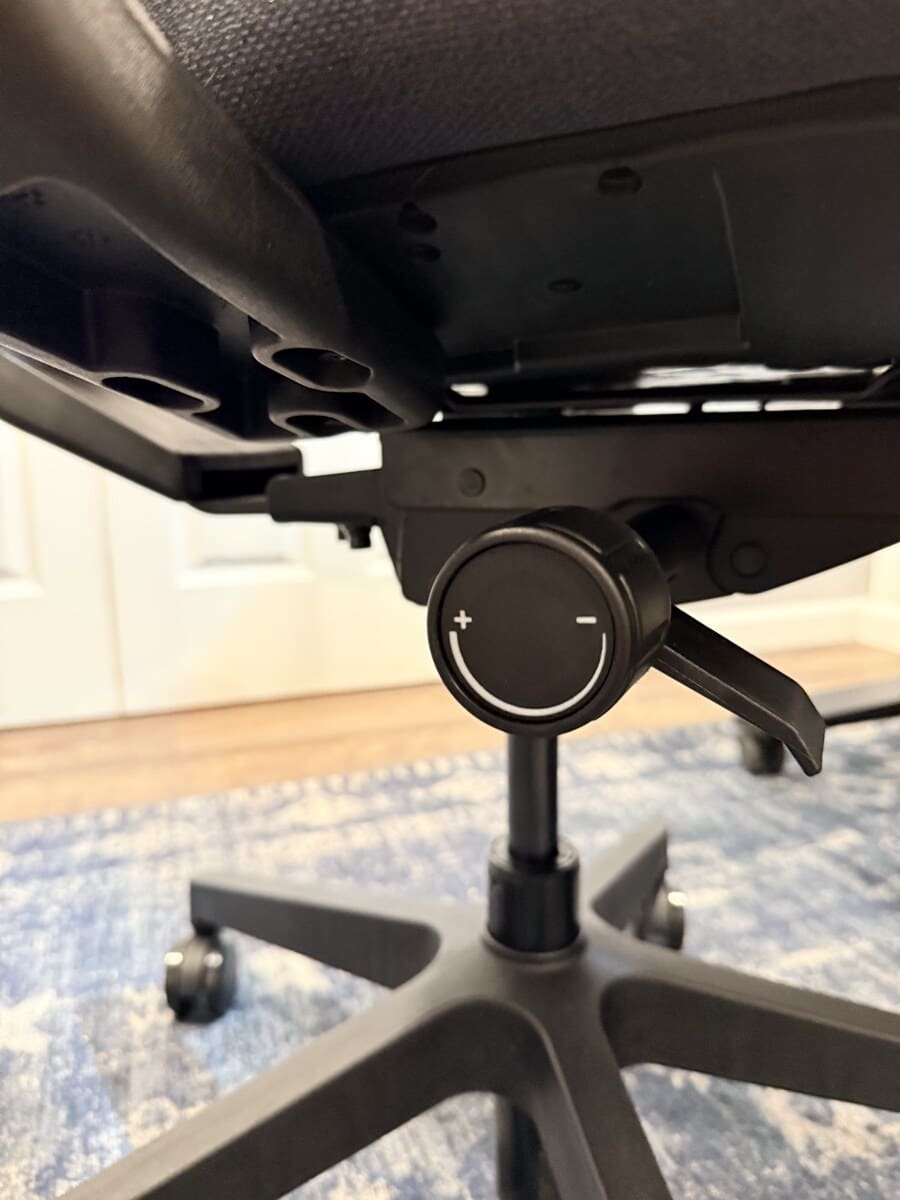
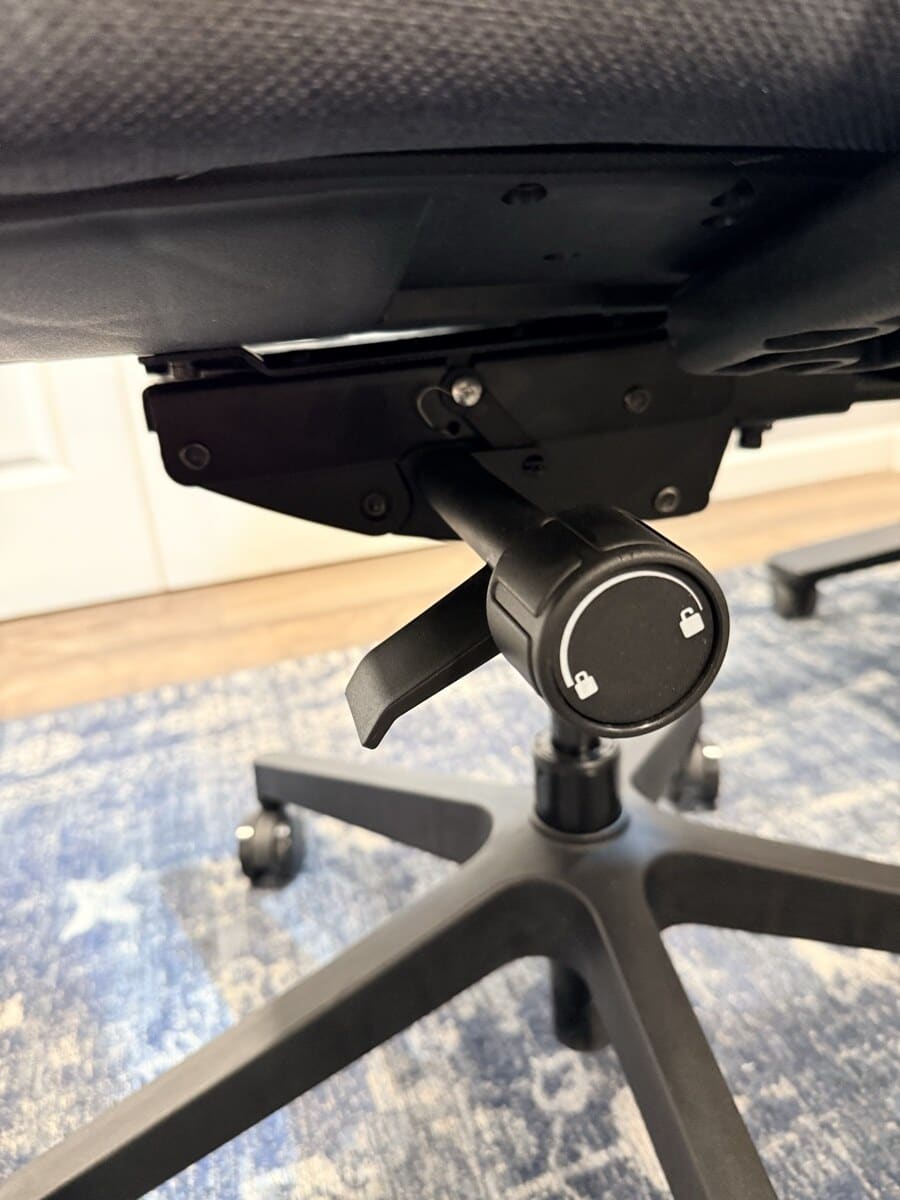
The 5 lock positions let you fix the recline at specific angles. When I lock the seat pan forward, I can't lean back anymore, which was surprising but makes sense for focused upright work. I mostly keep it unlocked at the furthest back position and let the chair rock freely.
The back has enough lateral movement (left and right) to not feel overly stiff, which adds to the natural feel of the chair.
Armrests: The One Weak Spot
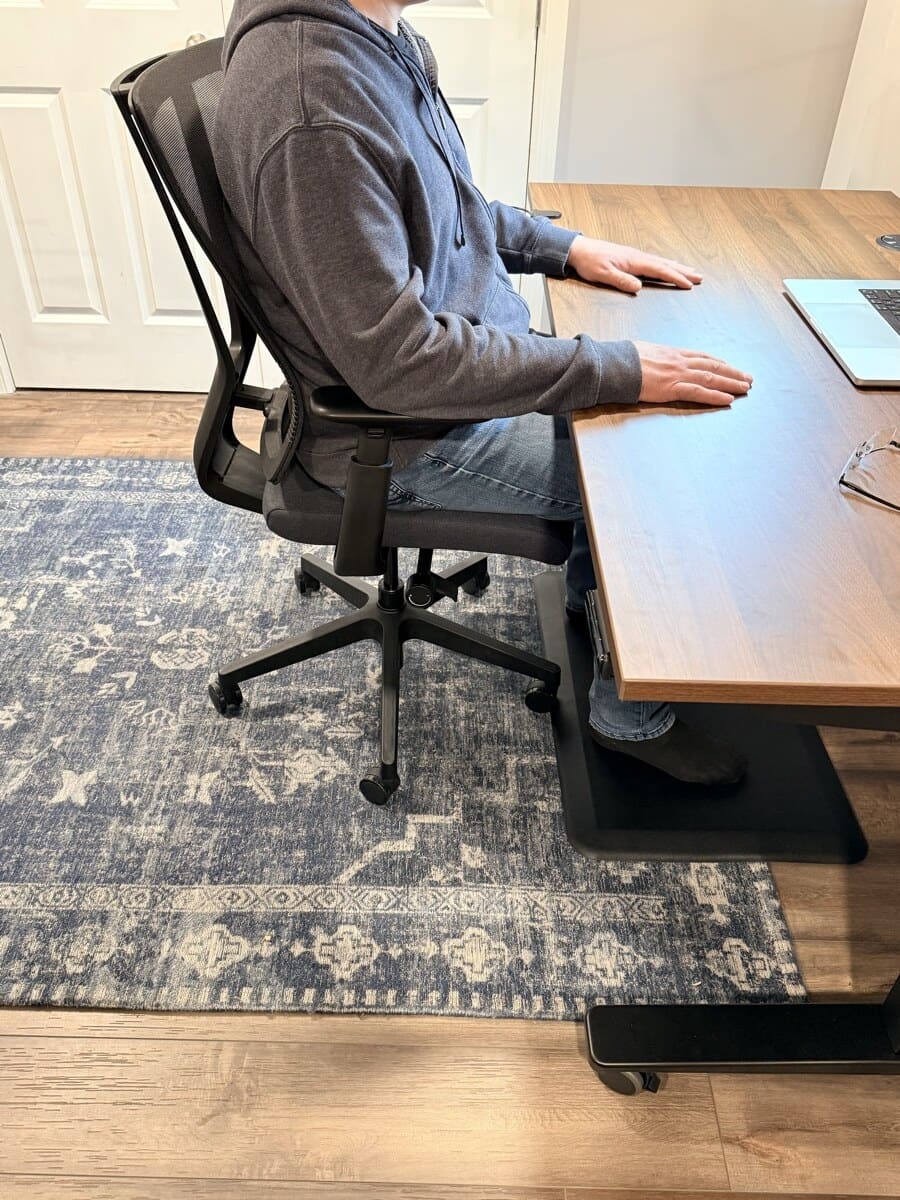
The 3-way adjustable armrests (height, depth, pivot) align well with my desk surface and pivot inward enough for comfortable typing. They go low enough to slide the chair completely under the desk, which is useful if you're working in a smaller space.
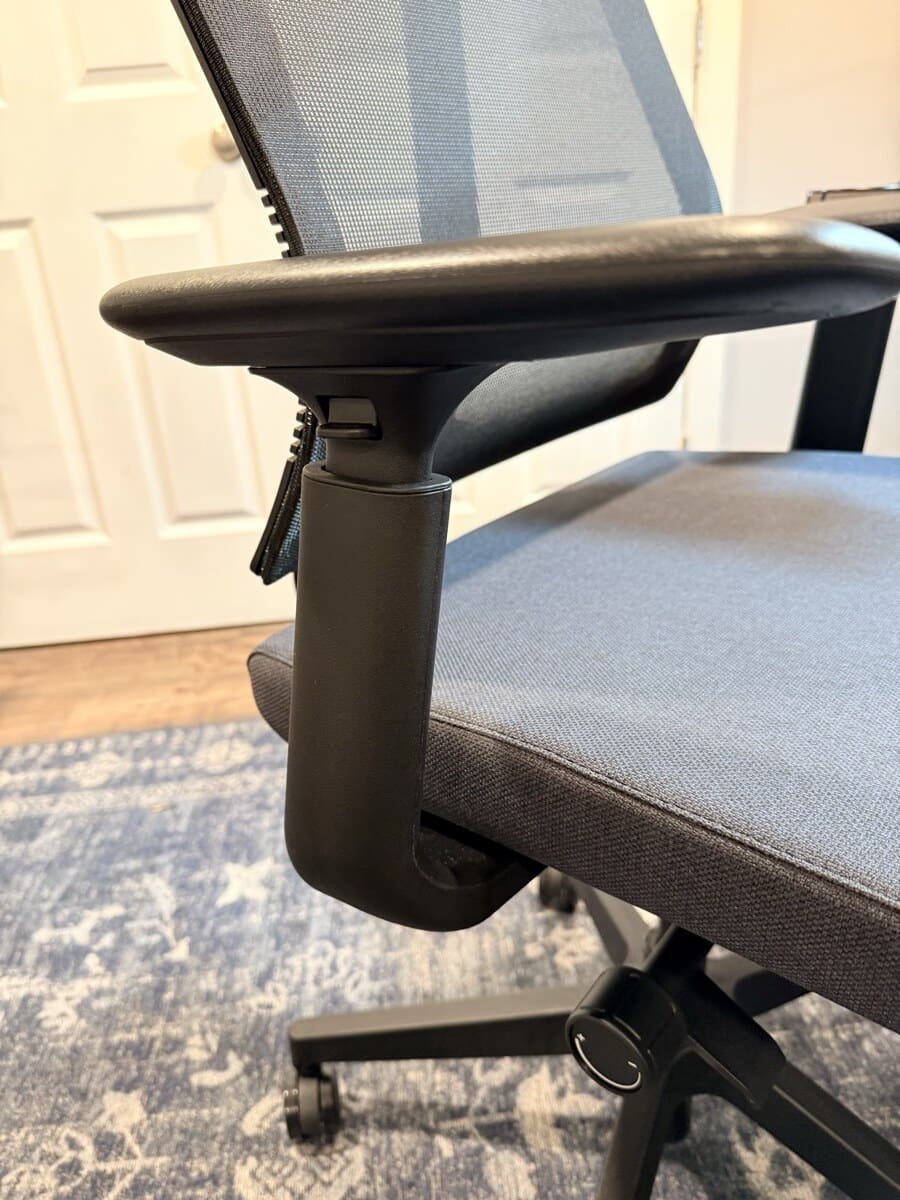
Here's the honest part: the armrests wobble. They have noticeable play when you lean on them or shift your weight. I'm assuming this is by design to allow some flexibility, but it comes across as not fully secure. It's not that they feel cheap or flimsy. The materials are fine. But the wobble is constant and it's the one area where the chair doesn't match the quality of the rest of the build. No creaks or sounds from anywhere else on the chair. Just the armrests wiggling.
For context, adjustable armrests often trade some tightness for movement. This page has not tested the Branch Ergonomic Chair, Sihoo Doro C300, Steelcase Series 1, or UPLIFT Pursuit side by side, so it does not assign those chairs a hands-on armrest winner.
Build Quality
Everything besides the armrests felt solid during the one-week review period. The casters rolled smoothly on both carpet and hard floors, the base felt planted, and I heard no creaks when shifting weight. The mesh back might be the best part of the chair. It supported me through full workdays without feeling hot, including sessions longer than four hours.
I prefer the mesh back over foam-backed chairs. It's comfortable and I don't miss the cushioning at all.
What Could Be Better
- Armrest stability. The wobble is noticeable and makes the armrests feel less confidence-inspiring than the rest of the chair. Tighter tolerances would improve the premium feel.
- Lumbar adjustment is manual and unintuitive. The pull-up-and-click mechanism works, but it took me a few days to figure out without the instructions. A more obvious adjustment (like a dial or slider) would be more user-friendly.
- No headrest option. If you recline frequently for reading or video calls, you'll miss having head support. This isn't unusual near its current price, but it's worth noting.
How It Compares
At $359, the Clarksville competes directly with the Branch Ergonomic Chair (unavailable) and the Sihoo Doro C300 ($279.99−50%).
vs. Branch: The Branch offers 7 listed adjustment points and Greenguard Gold certification. The Clarksville counters with UPLIFT's published 15-year warranty and a flexible lumbar frame with four height positions. WorkstationSetup has not tested the Branch hands-on.
vs. Sihoo Doro C300: Sihoo describes the C300's lumbar support as self-adaptive. The C300 uses full mesh for the seat and back, while the Clarksville uses a foam seat and mesh back. If you prefer all-mesh and want a headrest, the C300 is the better feature match. If you prefer foam cushioning and value UPLIFT's longer published warranty, the Clarksville is the better fit. WorkstationSetup has not tested the C300 hands-on. The head-to-head lives on UPLIFT Clarksville vs Sihoo C300.
If the other tab is the current C300 Pro V2 instead of the standard C300, see UPLIFT Clarksville vs Sihoo C300 Pro V2. That compare keeps Clarksville off the Sihoo 3-way.
If the other tab is the C300 Pro instead of the standard C300 or the current V2, see UPLIFT Clarksville vs Sihoo C300 Pro. Clarksville stays the hands-on pick. The C300 Pro is research-backed only.
vs. Steelcase Series 1 ($499): The Steelcase lists weight-activated recline, a 400 lb capacity, and a 12-year warranty. The Clarksville lists longer coverage, but compare the live prices and fit features before deciding.
For the full price-category comparison, see our Best Ergonomic Chairs Under $400 and Best Ergonomic Chairs Under $600 guides. If you've already decided to buy from UPLIFT Desk, the UPLIFT ergonomic chair comparison narrows the choice to the Bolan, Clarksville, and Intuition.
Who Should Buy the UPLIFT Clarksville
Buy it if:
- You want a chair you can set up once and forget about. The Clarksville doesn't demand constant adjustment
- You prefer a foam seat over all-mesh. The 3-inch cushion with waterfall edge is comfortable for long sessions
- You value warranty length. UPLIFT publishes 15-year coverage for the Clarksville
- You already own an UPLIFT V3 Standing Desk and want matching warranty coverage from one company
- You can use its documented 17 to 22 inch seat-height range and 17.3 to 20 inch seat-depth range
Look elsewhere if:
- You want a headrest for reclined reading or video calls
- You prefer an all-mesh seat (look at the Sihoo Doro C300)
- You want maximum adjustability with 7+ adjustment points (look at the Branch Ergonomic Chair)
- Armrest stability is a top priority for you
Frequently Asked Questions
Is the UPLIFT Clarksville Ergonomic Chair worth its current price?
Yes. After a week of daily use, the Clarksville delivered where it counted for me: lumbar contact as I changed position, a foam seat that didn't bottom out during the review period, and build quality that felt solid everywhere except the armrests. UPLIFT's published 15-year warranty strengthens the value case, but neither a one-week test nor warranty length proves a specific service life.
How does the lumbar support work?
The Clarksville uses a flexible lumbar frame built into the backrest with four height positions. You adjust it by reaching behind the chair and lifting the bottom edge of the backrest until it clicks. Each click raises the lumbar contact point. Pulling past the fourth position resets it to the lowest height. The positions change height, not firmness.
Does the chair work well with a standing desk?
Yes. I pair it with my UPLIFT V3 Standing Desk and alternate between sitting, standing, and walking throughout the day. The armrests go low enough to slide under the desk when I stand up. The chair rolls easily out of the way on the casters. Coming back to it after standing, the lumbar re-engages with my back immediately.
How long does the foam seat take to break in?
It felt noticeably firm on day one and more comfortable to me after about 3 days of full workday use. It did not bottom out during the remainder of my one-week review. That is a short-term comfort observation, not a claim about long-term foam compression.
Do the armrests wobble?
Yes, there's noticeable play in the armrests. They function well (good height range, decent pivot, align with desk surface) but they wiggle when you lean on them. This is the one area where the chair doesn't match the quality of the seat, back, and base. It's common at this price point, but it's worth knowing upfront.
What color options are available?
The Clarksville is offered in Black and Fog, a lighter gray option. Confirm the current color pricing on the product page. UPLIFT Desk also offers Blade Chair Casters as an optional upgrade. Check the current caster compatibility, price, and floor guidance before adding them.
How does the Clarksville compare to the UPLIFT Pursuit?
The Pursuit Ergonomic Chair by UPLIFT Desk ($499) is the higher-spec UPLIFT option with 9 listed adjustment points, a published 100,000+ Martindale mesh rating, under-seat storage, and the same advertised 15-year warranty. The Clarksville is the better value path if you want adaptive lumbar without the Pursuit's added features. WorkstationSetup has not tested the Pursuit hands-on.
Who designed the Clarksville?
UPLIFT Desk says its founder, a certified professional ergonomist, designed the Clarksville's lumbar system. UPLIFT's specification sheet states that the chair meets the ANSI/BIFMA X5.1-2017 General-Purpose Office Chair Standard for safety, durability, and structural performance. That standard is useful product evidence, but it does not predict personal comfort or a specific lifespan.
What is the UPLIFT Clarksville weight capacity?
The UPLIFT Clarksville Ergonomic Chair has a 300 lb weight capacity.
This review is based on one week of daily hands-on use at 6-8 hours per day. UPLIFT Desk provided the Clarksville Ergonomic Chair at no cost for review purposes. All opinions are my own.
Related Guides
- UPLIFT Clarksville vs Sihoo C300: Hands-on foam seat vs the research-backed C300
- UPLIFT Clarksville vs Sihoo C300 Pro V2: The same Clarksville against the current V2
- UPLIFT Clarksville vs Sihoo C300 Pro: Hands-on foam seat vs the research-backed Pro
- Best Ergonomic Chairs Under $400: Full comparison with Branch, Sihoo C300, and Steelcase
- Best Ergonomic Chairs Under $600: Expanded roundup including UPLIFT Pursuit
- UPLIFT V3 Standing Desk Unboxing: See the Clarksville alongside the full UPLIFT workstation
- Which UPLIFT Standing Desk Is Right for You?: The desk that pairs with this chair
- Best Standing Desks Under $700: Desk options at every price
- Best Ergonomic Desk Setup: Complete Guide: Full workstation walkthrough