Disclosure: UPLIFT Desk provided both desks at no cost for review. All opinions are my own. This post contains affiliate links.
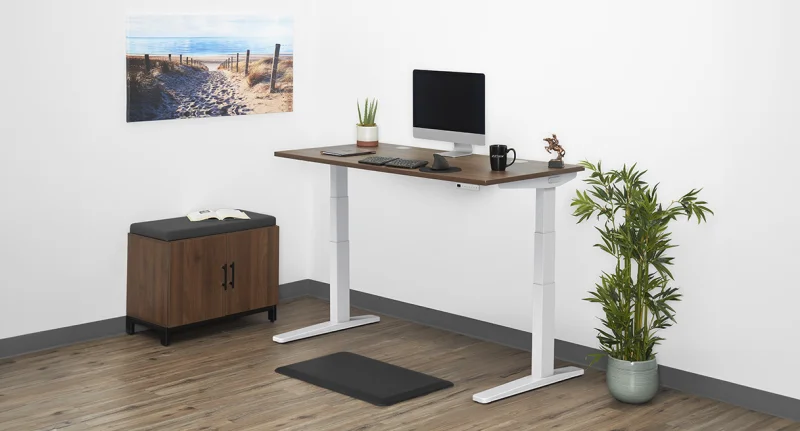
I own both. The UPLIFT V3 Standing Desk ($599-$939) lives in my home office. The UPLIFT Parsons Standing Desk ($829+) lives in a different room. I switch between them every day, in different lighting, doing different kinds of work. This isn't a spec-sheet comparison. It's what I've actually noticed living with both.
If you're trying to choose between them, here's the short version: they solve different problems. The V3 is the better workstation. The Parsons is the better piece of furniture. Both are well-built. Both are stable at standing height. Both are made by UPLIFT Desk and carry the same 15-year frame warranty. The differences are about where the desk lives in your life, not which one is "better."
Buy the UPLIFT V3 Standing Desk ($599-$939) if you're building a daily computer workstation. Faster motor, quieter operation, six-axis gyroscope anti-collision, 48 threaded accessory points, FlexMount cable management included, Bluetooth app, and 5-minute single-tool assembly.
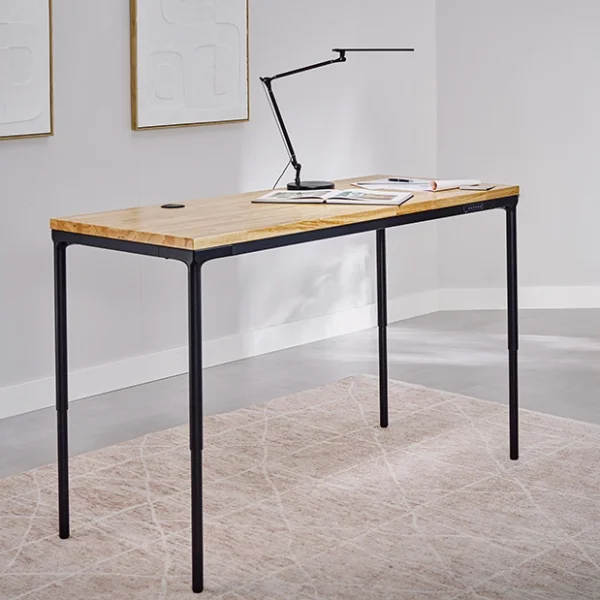
Buy the UPLIFT Parsons Standing Desk ($829+) if you want a standing desk that disappears into a room. Tapered legs hide the lifting mechanism. Flush keypad in the apron. Pairs with the Acacia butcher block to read as a piece of dining-room furniture. Works as a writing desk, drawing surface, design table, or shared collaboration space, not just a computer setup.
Head-to-Head Specs
| Specification | UPLIFT V3 | UPLIFT Parsons |
|---|---|---|
| Starting Price | $599-$939 | $829+ |
| Frame Style | Industrial steel, dual-wall feet, i-beam crossbar | Tapered legs hiding lifting mechanism |
| Motor System | 3-stage dual motor | 3-stage dual motor |
| Min. Height | 22.6" | 26.7" |
| Max. Height | 48.7" | 44.1" |
| Weight Capacity | 355 lbs | 355 lbs |
| Lift Speed | 2"/sec (full range in 13.45 sec) | Slower than V3 |
| Memory Presets | 4 | 3 |
| Keypad | Bottom-mounted advanced keypad with USB | Flush in front apron |
| Anti-Collision | Six-axis gyroscope | Resistance-based (calibrated via ASF reset) |
| Motor Noise | Under 48 dB (whisper-quiet) | Audible on speakerphone |
| Cable Management | FlexMount included (10 lb capacity) | Built-in rear channel + leg-clip channel |
| Mounting Points | 48 threaded points | None on frame; grommet + clamp on desktop |
| Bluetooth App | Yes | No |
| Assembly | ~5 minutes, 16 screws, 1 tool | Drill required, more screws and cables |
| Frame Warranty | UPLIFT Desk 15-year | UPLIFT Desk 15-year |
| Best For | Daily computer workstation | Multi-use desk that doubles as furniture |
The Design Question
This is the biggest practical difference between the two desks, and it's the one most spec sheets fail to capture.
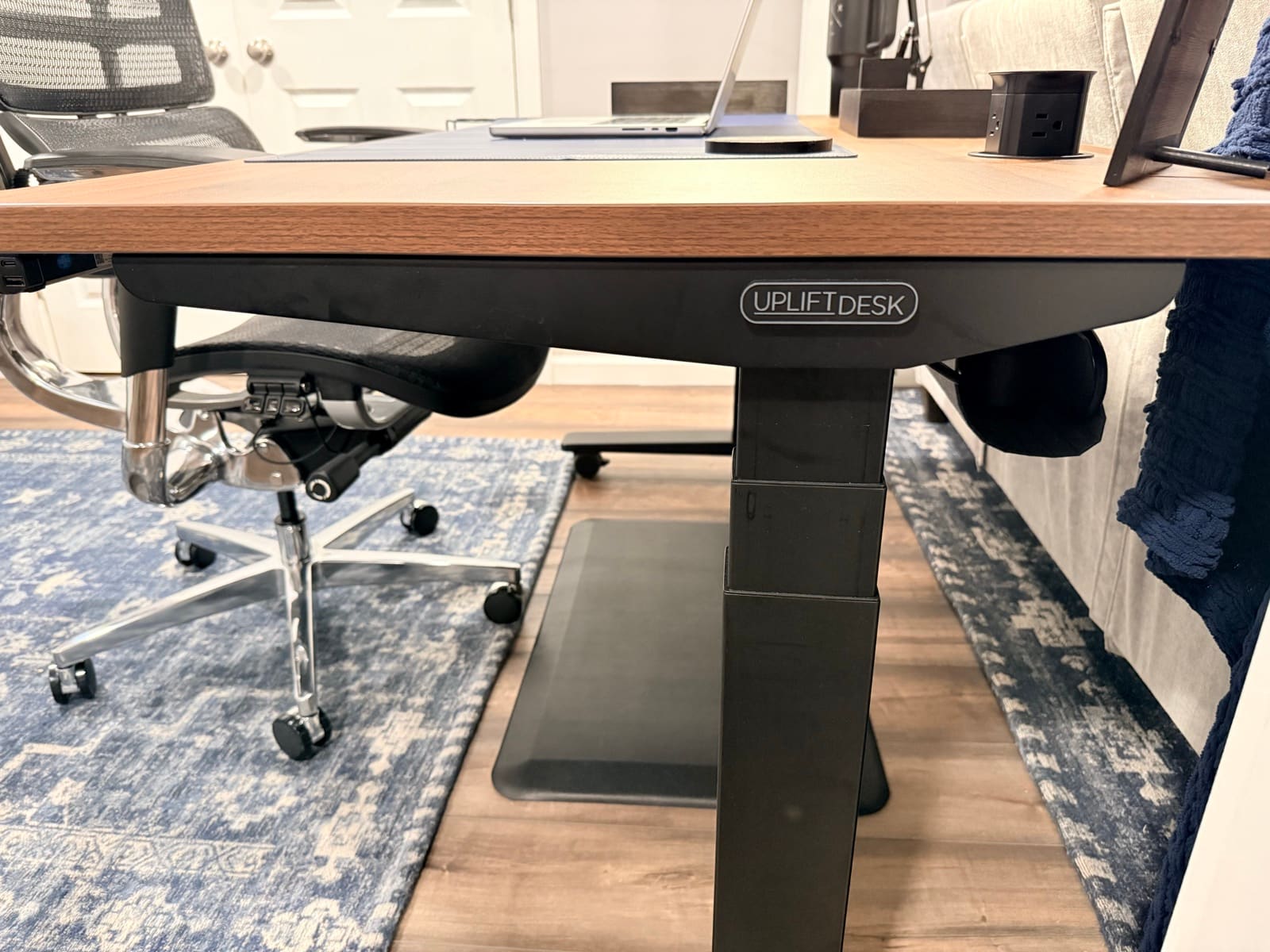
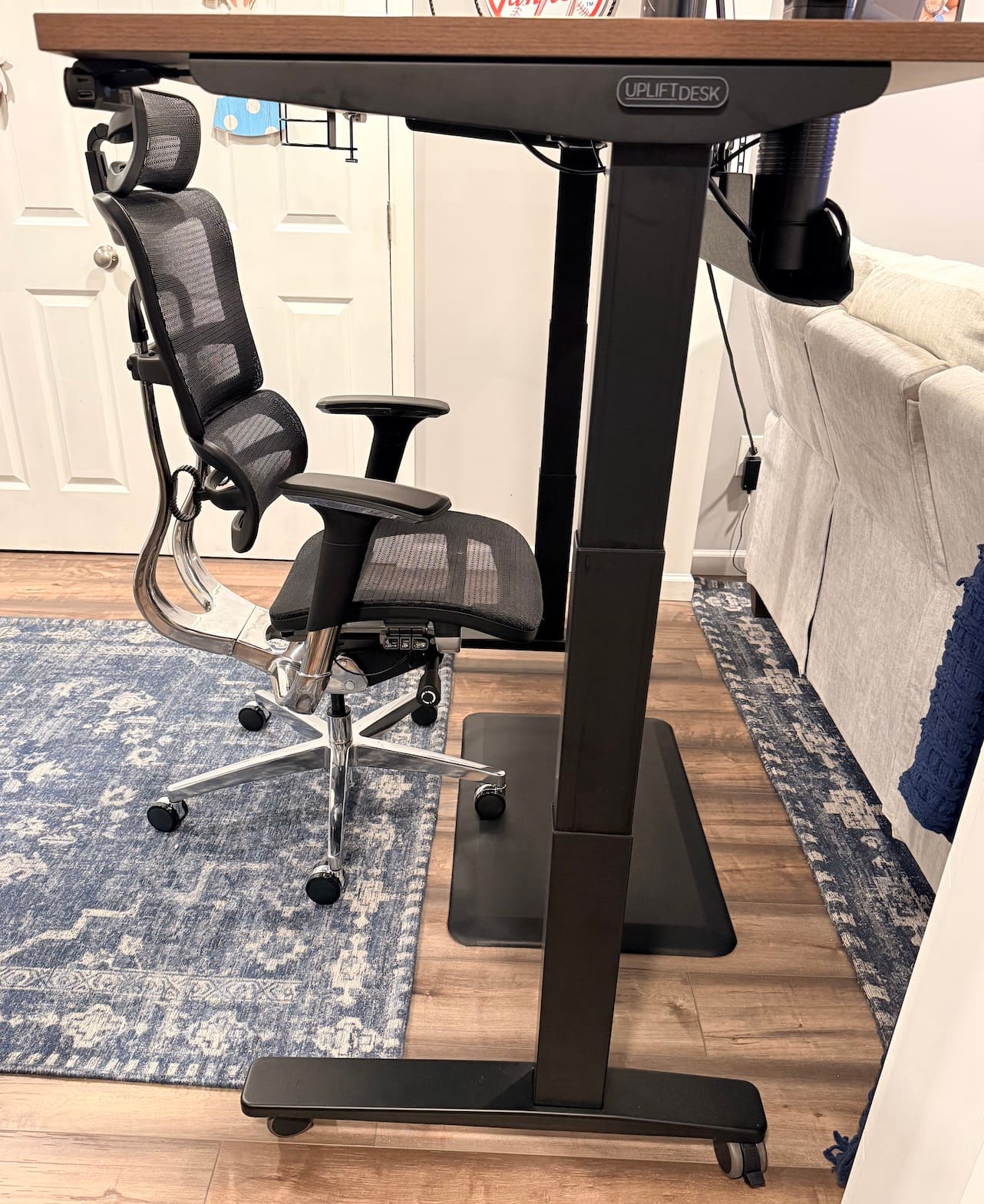
The V3 looks like office equipment. The dual-wall steel feet, the contract-grade i-beam crossbar, the industrial frame with UPLIFT Desk's logo on the front. It's a workstation. It's meant to live in a workstation context. In my home office it looks correct. If I tried to put it in a living room or a shared space, it would read as "office gear awkwardly placed in a non-office room."
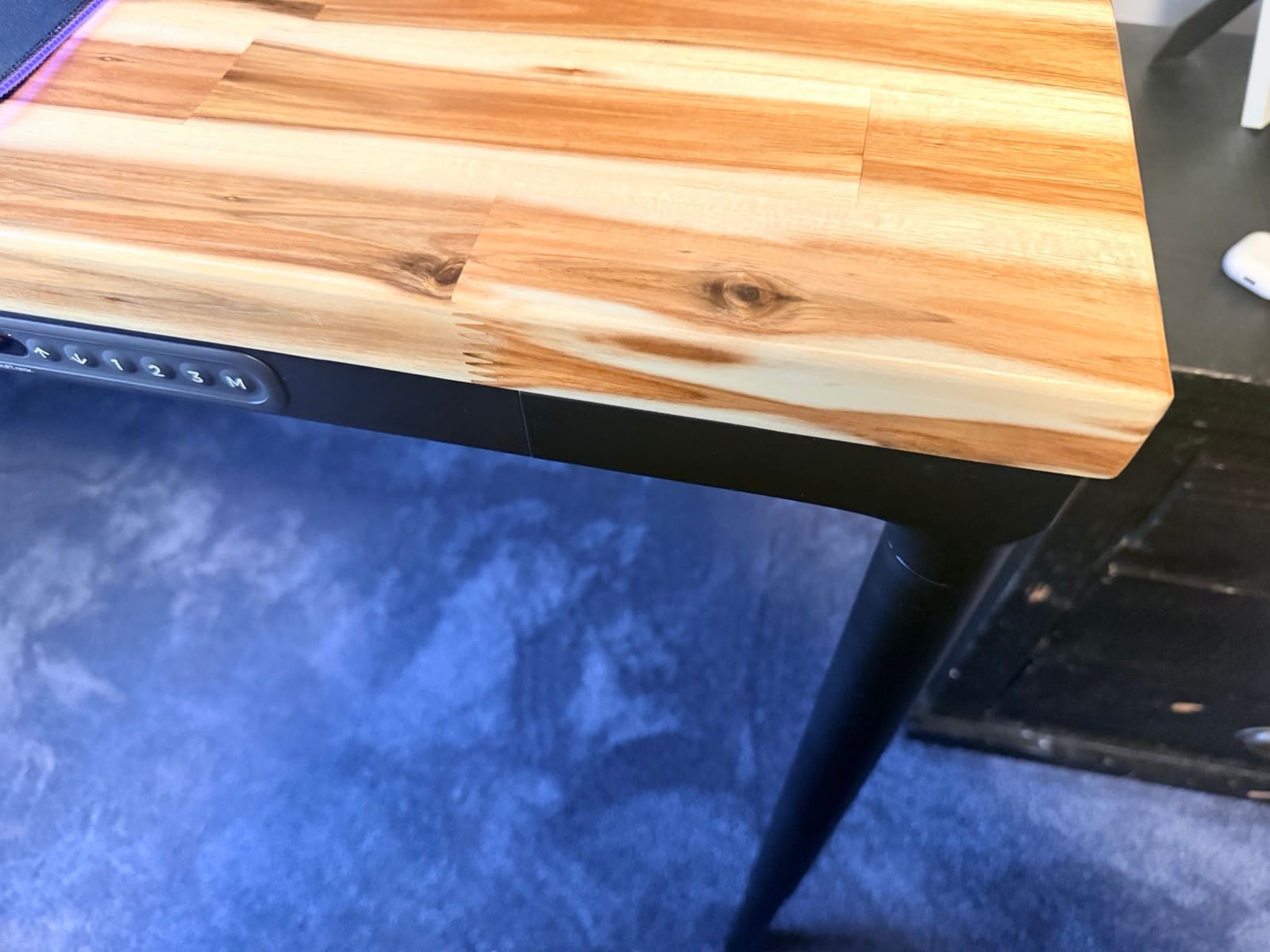
The Parsons doesn't look like a standing desk. The tapered legs hide the entire lifting mechanism. From across the room you see four thin legs and a wood top. People walk past it and don't realize it raises. The reaction I get from visitors is consistent: "What? That's a standing desk?" That's the design philosophy paying off.
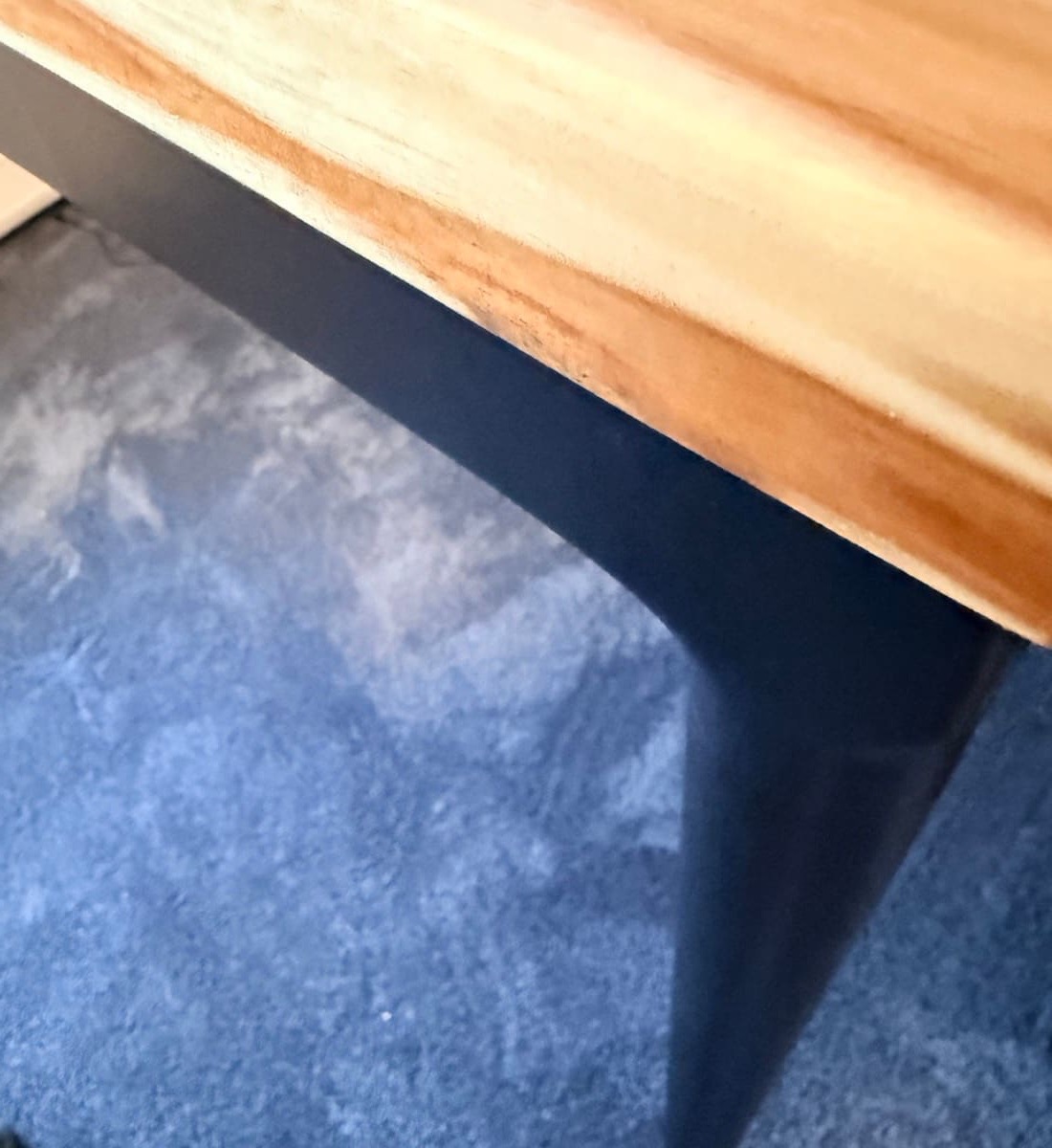
What this means in practice: the Parsons opens up rooms the V3 can't. It works as a writing desk in a study. A drawing or design surface in a craft room. A shared collaboration table that happens to also raise and lower. A workspace inside a room that already has other furniture and doesn't want to look "office'd up." The V3 is built for one job and does it perfectly. The Parsons is the same standing-desk technology dressed for places the V3 wouldn't fit.
The Stability Question
Both desks are stable at standing height. I want to call that out up front because the Parsons looks like it shouldn't be.
The V3 has a heavy commercial-grade steel frame, dual-wall feet, and a steel i-beam crossbar. You bump into it and nothing rattles. At standing height with monitors loaded, typing fast, leaning into the front edge, the frame doesn't move. That's what 355 lbs of rated capacity feels like in a frame designed around mass.
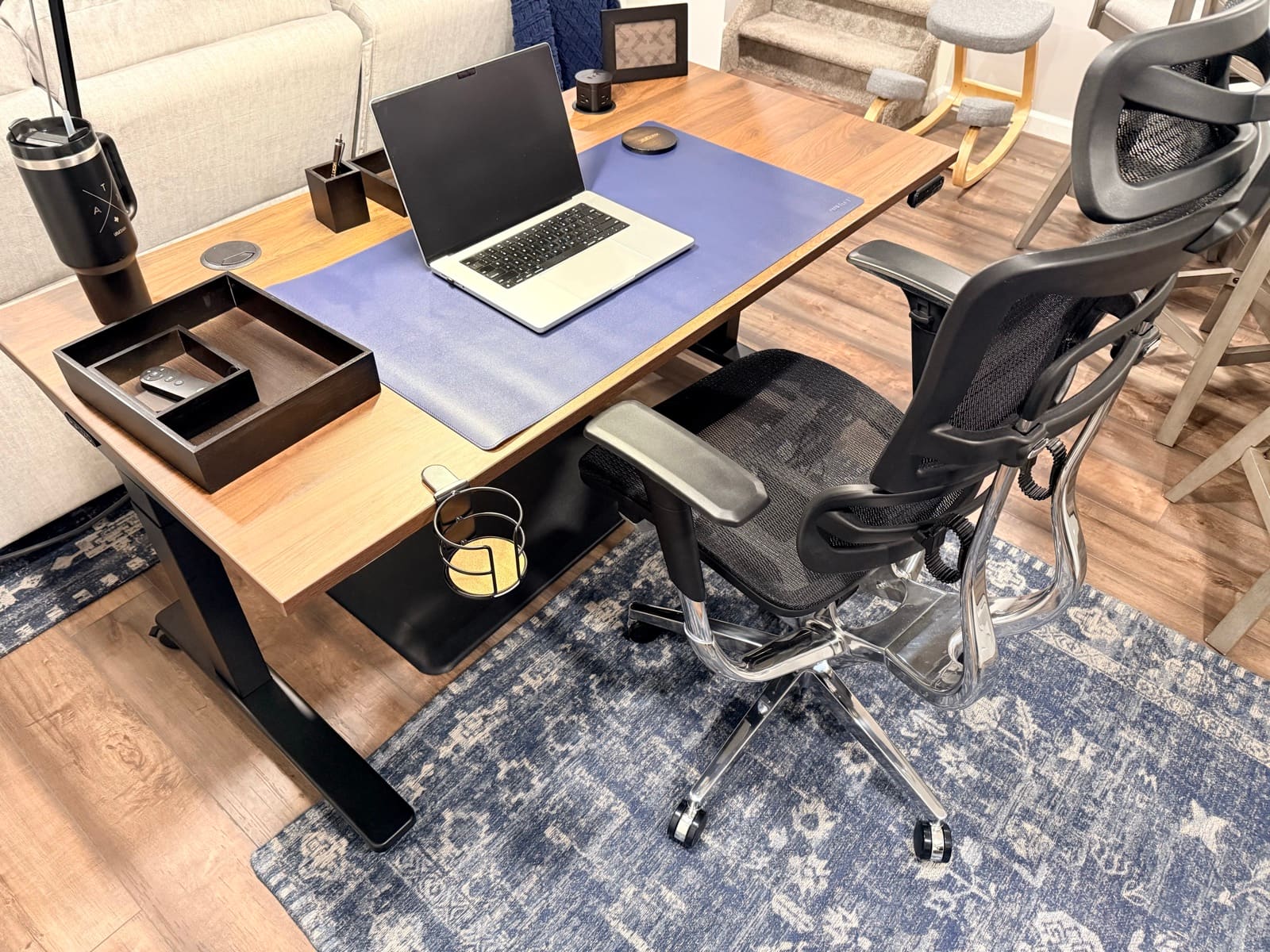
The Parsons looks like it shouldn't be stable. The legs are thin. From across a room they look almost delicate. I assumed I'd feel some flex at full standing height, especially with monitors on the desk and pressure on the front. I don't. Multiple visitors have looked at the legs first, decided "that can't possibly be stable," and then watched me raise it to maximum height with the full setup loaded and nothing moved. The hidden frame is doing the work the legs are hiding.
Both desks meet the same 355 lb weight capacity and carry the same 15-year frame warranty. Stability isn't where these desks differ. The V3's industrial frame just shows you it's strong. The Parsons hides it.
The Motor Question
Both desks use 3-stage dual-motor systems. One motor per leg, three telescoping segments per leg, anti-collision detection on both. That's the architecture overlap.
Where they differ is speed and feel. The V3 runs the full 22.6" to 48.7" range in 13.45 seconds. A typical sit-to-stand switch takes about 8 seconds. Fast enough that I don't plan around it. I just hold the button and start working at the new height. The Parsons is slower. Not dramatically. Just enough that you notice it.
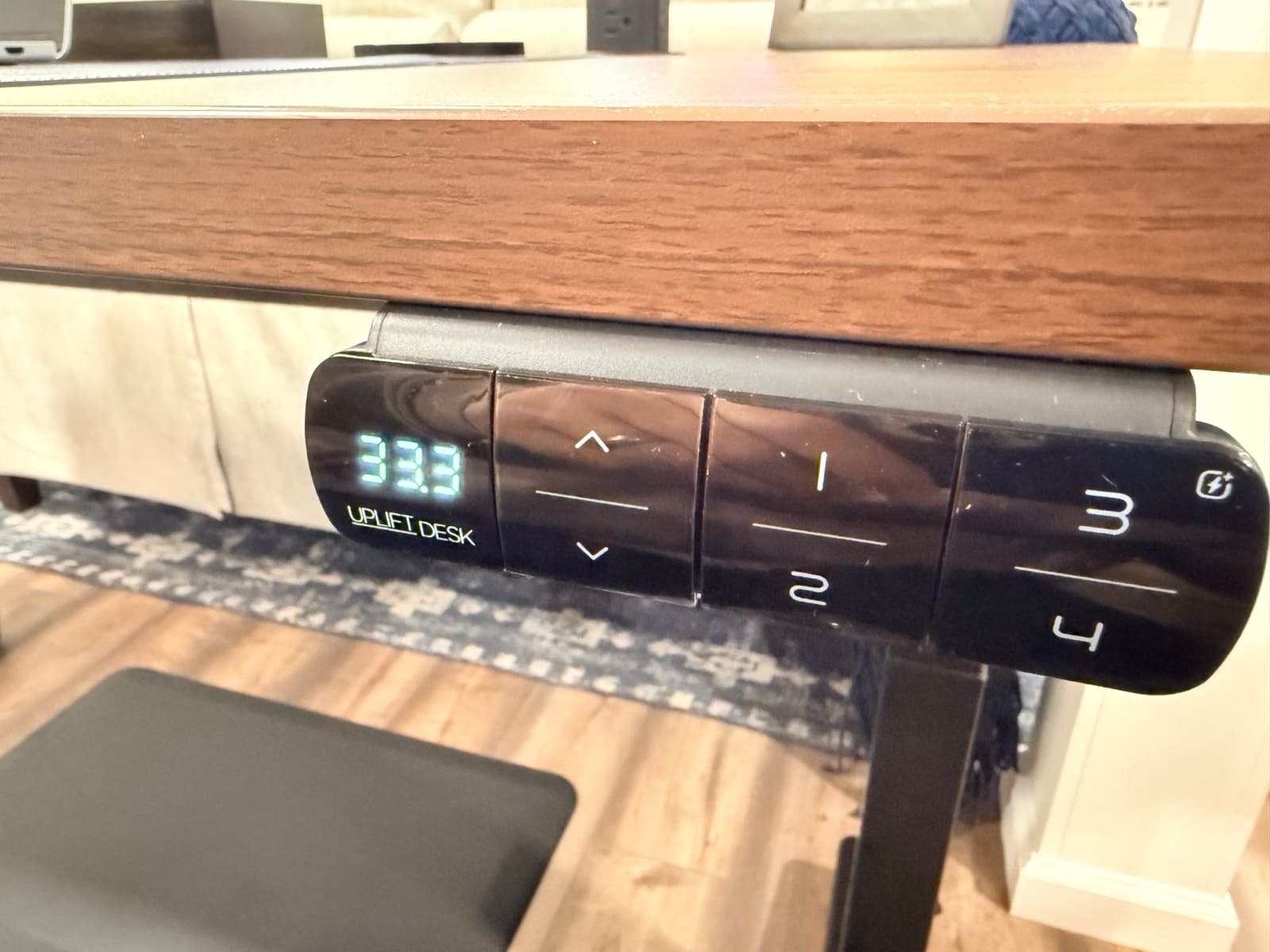
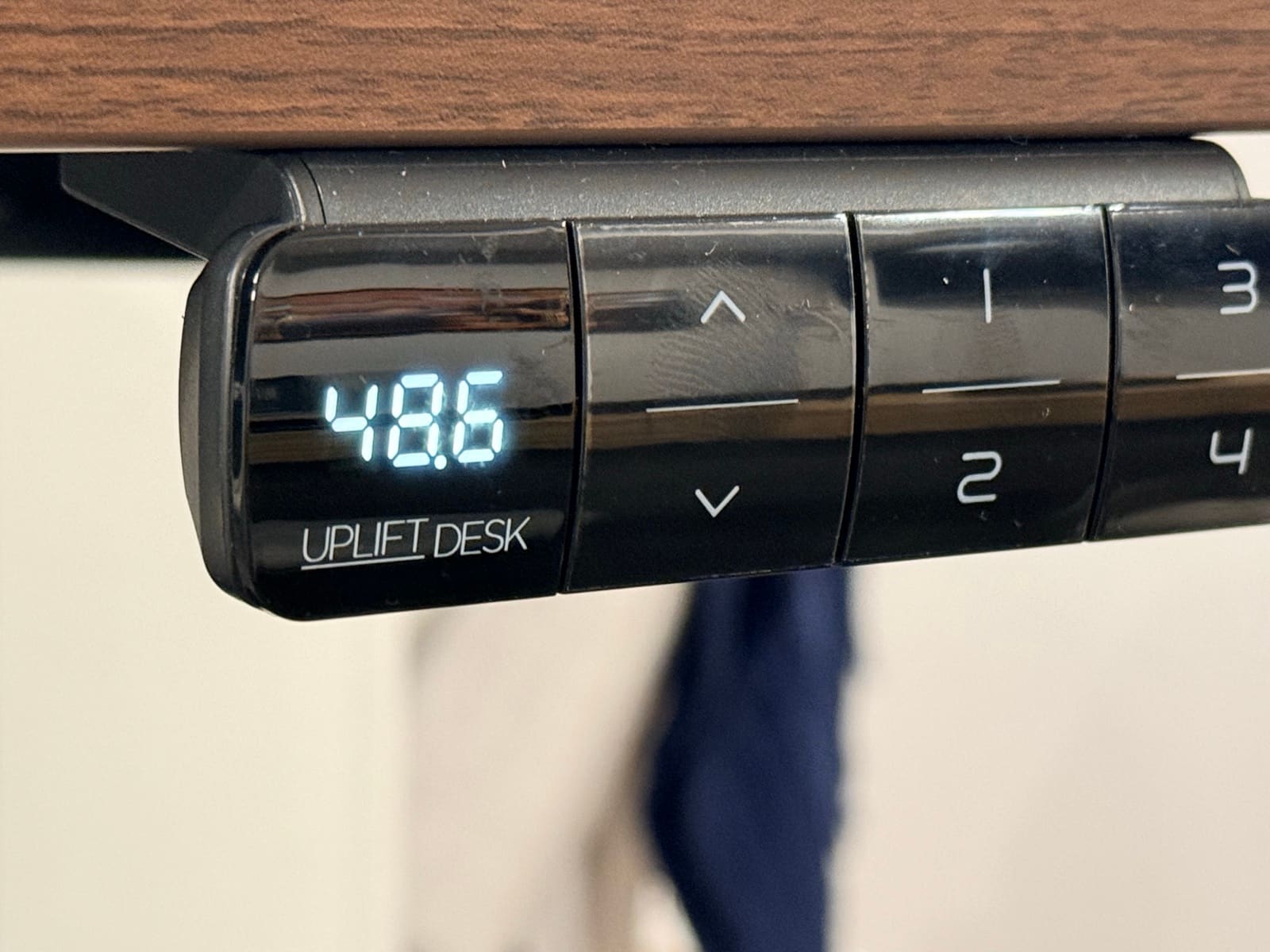
The V3 also has 4 memory presets and Bluetooth app control. I don't use the presets, but I love the app for one specific reason: I can raise the desk while someone else is sitting at it from across the room. The reaction is worth the price of the Bluetooth adapter alone.
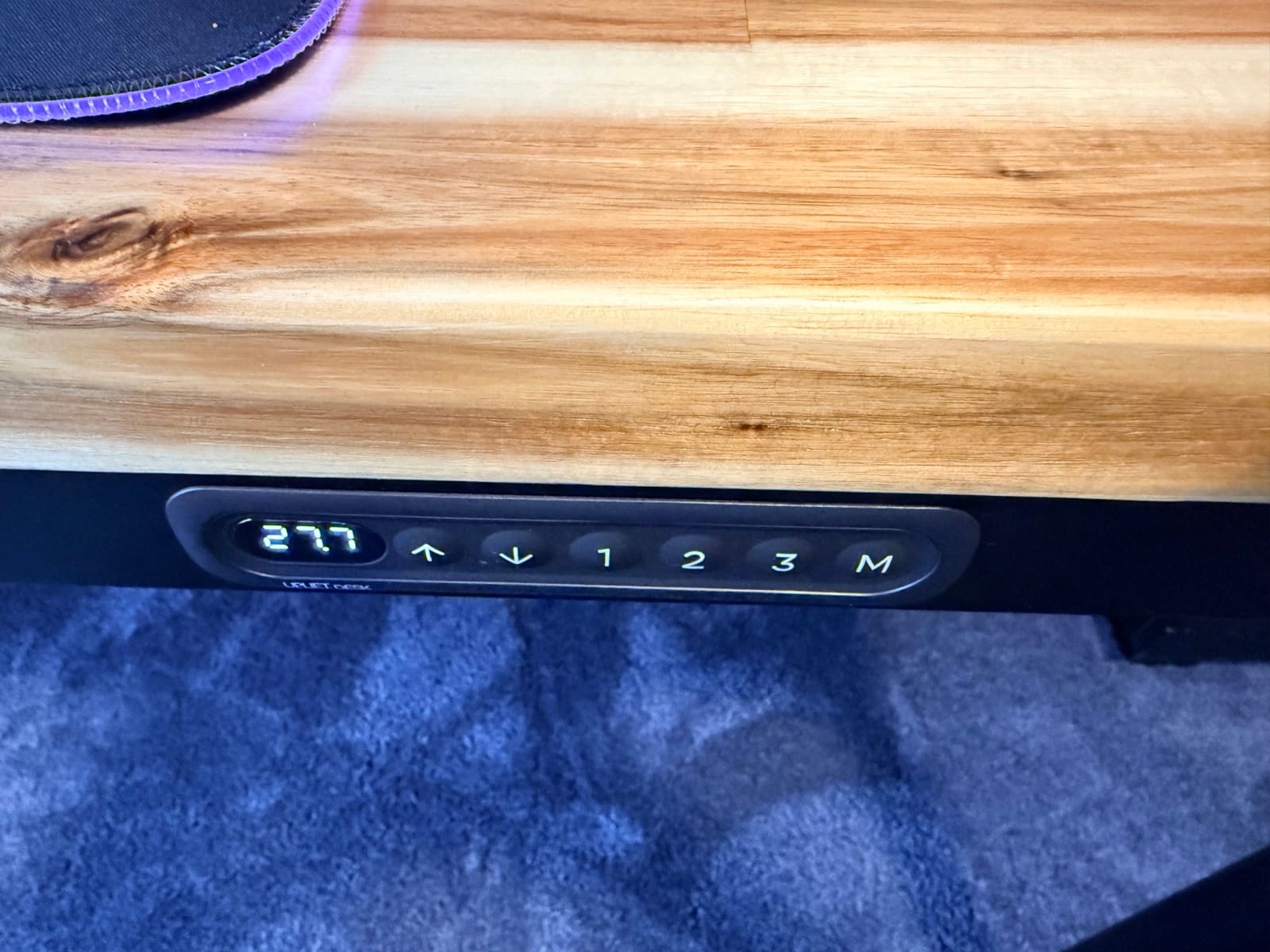
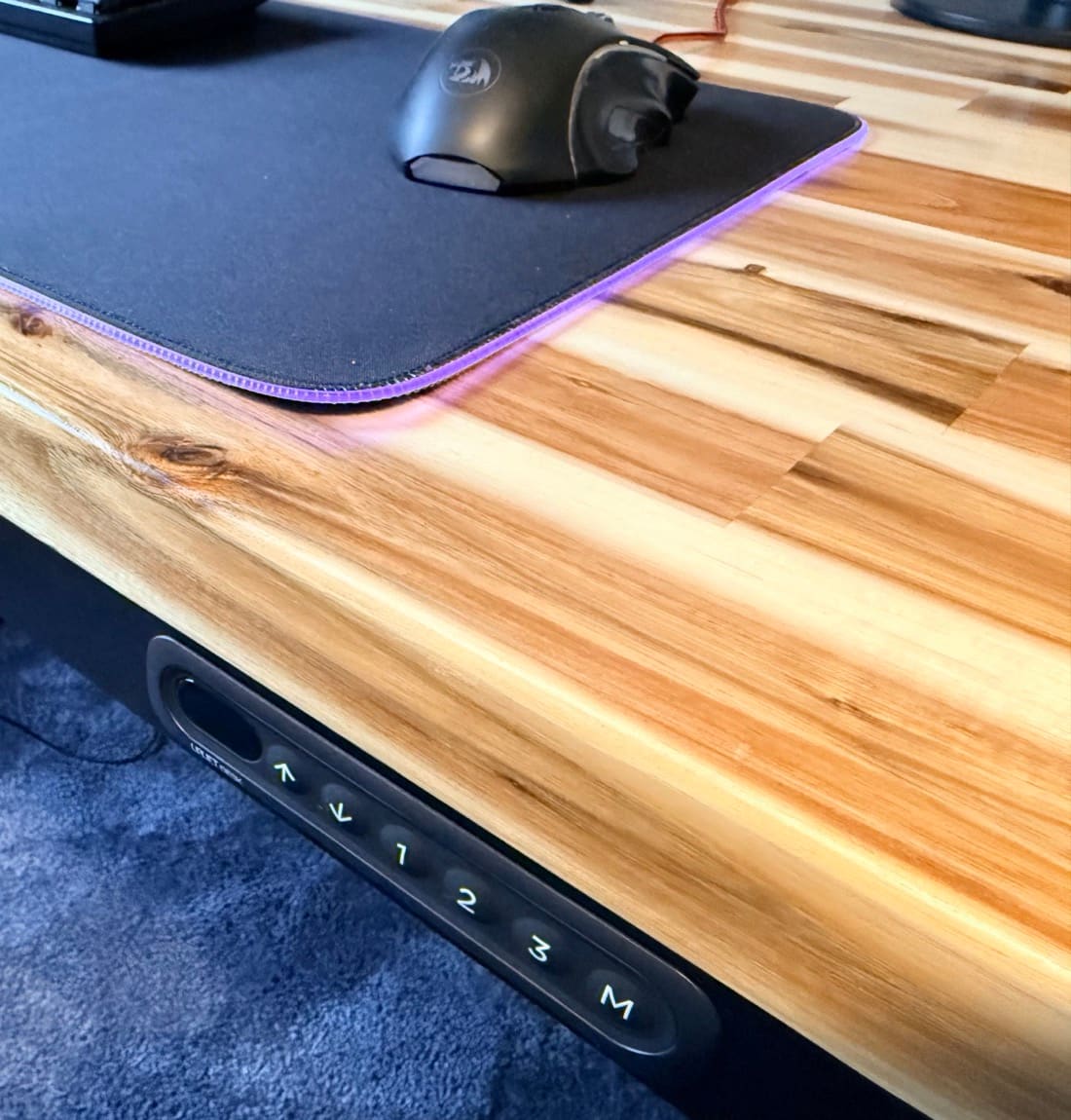
The Parsons has 3 memory presets and no app, but the keypad sits flush in the front apron. Smooth and soft to touch. There were nights early on where I'd raise and lower the Parsons just to feel the keypad respond. The V3's keypad is more capable. The Parsons keypad is more pleasant. Different priorities.
For a side-by-side spec breakdown of the V3 against another premium competitor, see my FlexiSpot E7 Pro vs UPLIFT V3 comparison.
If you want the two FlexiSpot frames against each other instead of that V3 compare, see FlexiSpot E6 Pro vs E7 Pro. That page is FlexiSpot vs FlexiSpot. Both desks stay research-backed.
If you want the two-motor E7 Pro against the four-motor E7 Plus Max instead of E7 Pro vs V3, see FlexiSpot E7 Pro vs E7 Plus Max. That page is the 2-motor vs 4-motor FlexiSpot 1v1. Both desks stay research-backed.
The Noise Question
The V3 runs under 48 dB. In my house, on a call with noise suppression on, nobody hears the desk adjust. On speakerphone without suppression, someone might catch a subtle hum in the background. It's not disruptive. You have to listen for it to notice.
The Parsons motor is louder. I wouldn't pause a call to raise it, but anyone joining via speakerphone without noise suppression would easily hear the motor adjusting. It's not subtle. The V3 motor is the kind of sound you have to listen for. The Parsons makes itself heard.
If you're in a shared room or take a lot of speakerphone calls, the V3 wins this one cleanly.
The Anti-Collision Question
Both desks include anti-collision detection. They use different sensor approaches, each calibrated to the specific frame architecture they're built into.
The V3 uses a six-axis gyroscope sensor that monitors desk motion in three dimensions. The frame's industrial mass and dual-wall steel construction give the gyroscope a stable reference for what "moving smoothly" feels like, so any disturbance shows up clearly and the desk reverses on contact. In my use, pushing down on the desk during a raise stops it immediately and drops it back a few inches.
The Parsons uses a resistance-based sensor calibrated during the initial reset procedure (the "ASF" sequence covered in the Parsons unboxing). The Parsons has a different frame mass and a hidden lifting mechanism than the V3, so the sensor approach is matched to that specific frame geometry. The ASF reset establishes the baseline calibration during install.
For most home setups, both sensors do their job. If your room has specific concerns (kids, pets, anyone potentially under the desk during a height change), confirm current calibration behavior with UPLIFT Desk customer support before ordering. They can walk through the calibration logic for the Parsons in particular.
The Cable Management Question
The V3 ships with the FlexMount cable management system. A 10-pound capacity cable tray, clips, zipped sleeves, and an 8-Outlet Mountable Surge Protector mount. There's also a Pop Up Power Grommet option that gives you outlets and USB ports embedded in the desktop. The cable management is part of the desk, not an accessory you add later.
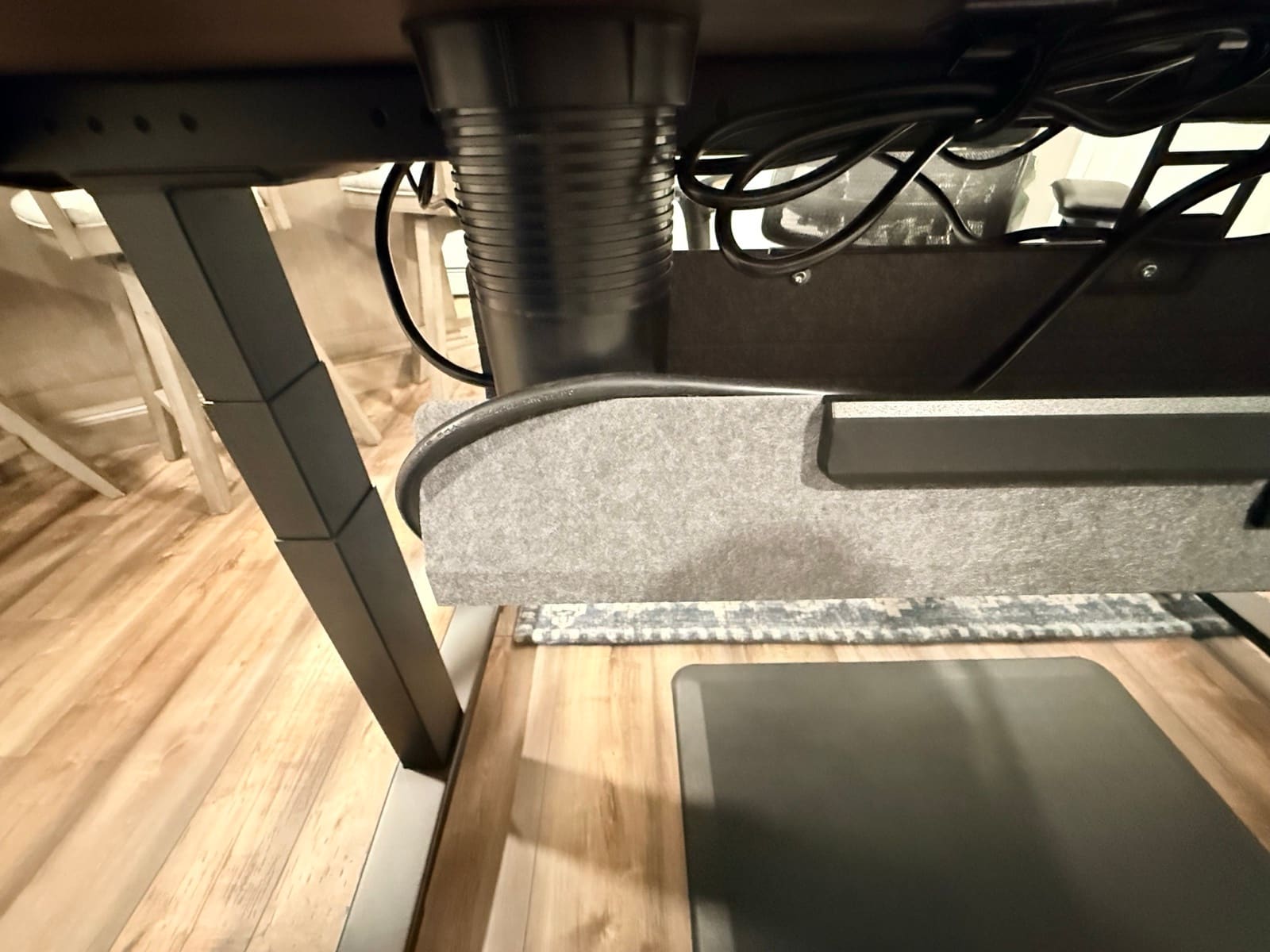
The Parsons handles cables differently. There's a built-in channel along the rear crossbar plus an included leg-clip channel for additional routing. Both come standard. With everything routed through both, there's plenty of room to hide the keypad cable, the leg motor cables, and the power supply. Nothing dangles. At standing height, where the underside is most visible, the cables don't draw attention.
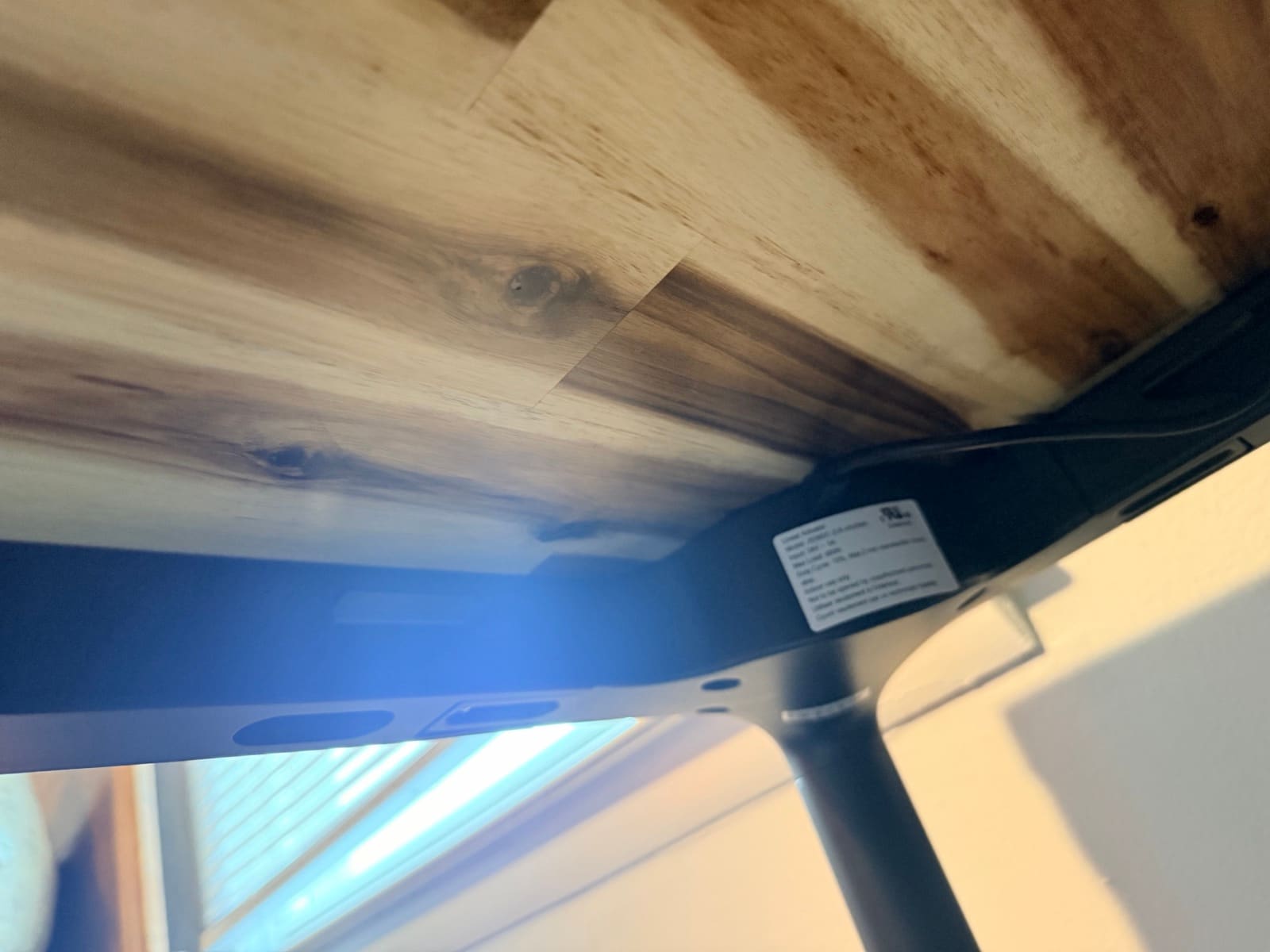
Both desks handle cables well. The V3 gives you more capacity and accessory support. The Parsons gives you a hidden, integrated solution that matches the desk's furniture aesthetic. For a deeper dive on routing strategies that work with either desk, see my desk cable management setup guide.
The Price Question
The V3 starts at $599-$939. The Parsons starts at $829+. Both desktops have 50+ material options through the UPLIFT Desk builder, so the actual price depends on what desktop you choose. The Acacia butcher block adds to either base.
The V3 is the cheaper option. It also has the more capable hardware: faster motor, quieter, six-axis gyroscope, app control, 48 mounting points, FlexMount included. Spec for spec, the V3 is the better value at the lower price.
So why does the Parsons cost more if the V3 has better hardware?
You're not paying for hardware. You're paying for design. The hidden mechanism, the tapered legs, the flush apron keypad, the way the desk integrates into rooms with other furniture instead of dominating them. The Parsons is the more expensive desk because it solves a different problem than the V3 does. If you want a workstation, the V3 is the smarter buy. If you want a desk that lives in a shared space and doesn't read as office equipment, the Parsons is the answer and there isn't a cheaper version of that.
The Verdict
Both desks are good. They're not competing for the same job.
Buy the UPLIFT V3 Standing Desk if you're building a primary computer workstation that lives in a home office, a basement workspace, or any room where the desk is the centerpiece. The faster motor, quieter operation, six-axis gyroscope anti-collision, 48 threaded mounting points, FlexMount cable management, Bluetooth app, and 5-minute assembly add up to a frame that gets out of the way and lets you work. This is the desk I use every night for that reason.
Buy the UPLIFT Parsons Standing Desk if you want a standing desk that doesn't look like one. The tapered legs and flush apron keypad mean the Parsons works in rooms the V3 can't: a writing desk in a study, a drawing or art surface in a craft room, a design table for sketching, a shared collaboration table, a workspace inside a room that already has other furniture. Pair it with the Acacia butcher block and it reads as a piece of dining-room-grade furniture that happens to also raise and lower. That versatility is what you're paying for, and it's why I keep both.
For the full UPLIFT Desk lineup, including the L-Shaped, Walking Desk, Curved Corner, and Clearance models, see my Which UPLIFT Standing Desk Is Right for You guide.
Buying Tips
- Decide where the desk lives before you decide on the frame. The V3 looks correct in a workstation. The Parsons looks correct anywhere else. If your room has other furniture in it, that's a Parsons signal. If your room is purpose-built for work, that's a V3 signal.
- The 50+ desktop options work on both frames. The Acacia butcher block isn't Parsons-only. You can have it on a V3, an L-Shaped, or any other UPLIFT Desk frame. So the desktop decision and the frame decision are independent.
- Plan accessories around the V3's mounting points. The V3 has 48 threaded points for monitor arms, lamps, cup holders, cable trays, and storage. The Parsons frame doesn't have those. Smaller clamp-on accessories still work but need to sit further back from the edge.
- Both desks include anti-collision detection matched to their respective frames. The V3 uses a six-axis gyroscope; the Parsons uses a resistance-based sensor calibrated via the ASF reset procedure during install. For specific household concerns (kids, pets), confirm current calibration behavior with UPLIFT Desk support before ordering.
- Account for assembly time. The V3 goes together in roughly 5 minutes with one tool and 16 screws. The Parsons takes longer, requires a drill, and has more cables to route between the leg motors and the control box. Plan accordingly.
Frequently Asked Questions
Is the UPLIFT Parsons or the UPLIFT V3 a better standing desk?
Both are well-built and stable. They solve different problems. The V3 is the better daily computer workstation: faster motor, quieter, more responsive anti-collision, 48 accessory mounting points, Bluetooth app, faster assembly. The Parsons is the better piece of furniture: hidden lifting mechanism, tapered legs, flush apron keypad, designed to read as a wood-top table that happens to also raise and lower. Pick the V3 for a primary computer workstation. Pick the Parsons for a desk that lives in a room with other furniture.
Can the Parsons be used for things other than a computer workstation?
Yes. That's part of why it costs more than the V3. The hidden frame and tapered-leg design make the Parsons work as a writing desk, an art or drawing surface, a design table, or a shared collaboration table. It doesn't read as office equipment, so it fits in spaces a workstation-style desk wouldn't. With the Acacia butcher block on top it can also pull double duty as a kitchen prep or dining surface in a multi-use room.
Is the UPLIFT V3 louder than the Parsons?
The V3 is quieter. It runs under 48 dB and you have to listen for it to notice during a height change. The Parsons motor is loud enough that a speakerphone caller without noise suppression would hear it adjusting. Both are fine for normal use. If you take a lot of calls in the same room as your desk, the V3 has the noise advantage.
Does the Parsons have anti-collision detection?
Yes. The Parsons uses a resistance-based sensor calibrated during the initial reset procedure (the ASF sequence). The sensor approach is different from the V3's six-axis gyroscope because the two frames have different masses and lifting mechanisms, so the sensor type is matched to each frame's geometry. For specific household concerns, confirm current calibration behavior with UPLIFT Desk support before ordering.
Can I put a monitor arm on the UPLIFT Parsons?
Yes. I have a Range-X monitor arm grommet-mounted on my Parsons. Clamp mounting also works on the thicker Acacia butcher block, but you have to reposition the Clamp Elbow to the lower two holes and flip the Clamp Bolt orientation. The UPLIFT Desk manual documents this in Step 2.A. Smaller clamp-on accessories like under-desk hooks and bottle openers fit too, but they need to sit further back from the edge to clear the frame.
How long does each desk take to assemble?
The V3 goes together in about 5 minutes with one tool and 16 screws. UPLIFT Desk pre-installed the control box and reduced the hardware count by 50%. The Parsons takes longer. The frame mounts to the desktop with screws that need pilot holes (no pre-drilling), and the leg motors require routing cables back to the control box. Plan on a longer install, and confirm you have a cordless drill before delivery.
Are both UPLIFT desks covered by the same warranty?
UPLIFT Desk currently advertises 15-year coverage for both the V3 and Parsons. Read the current written warranty for covered components, exclusions, and claim terms rather than relying on an older split between frame and electronics coverage.
Is the V3 frame more stable than the Parsons frame at maximum height?
In daily use, both desks are stable at standing height with a normal computer setup. The V3's industrial frame is more visibly heavy-duty, with dual-wall feet and an i-beam crossbar designed for stability under load. The Parsons hides its frame inside thin tapered legs but doesn't sacrifice stability. Visitors consistently underestimate the Parsons because of how the legs look. Both desks share the 355 lb rated capacity. For typical home office loads (50-80 lbs of monitors, arms, keyboard, mouse, accessories), both desks have margin to spare.
Should I get the V3 or the Parsons if I want the Acacia butcher block?
The desktop decision is independent of the frame decision. The Acacia butcher block is available on both the V3 and the Parsons through the UPLIFT Desk builder. So if you love the wood, choose your frame on the merits (workstation versus furniture-style desk) and order the Acacia on whichever you pick.
Related Guides
- UPLIFT V3 Standing Desk Review: the V3 in daily use, what works and what to plan for
- UPLIFT Parsons Standing Desk Review: the Parsons in daily use, the design choices that justify the price
- UPLIFT V3 Standing Desk Unboxing: assembly walkthrough, real photos, and first impressions
- UPLIFT Parsons Standing Desk Unboxing: assembly walkthrough including the screw-heavy install
- Which UPLIFT Standing Desk Is Right for You?: full UPLIFT Desk lineup breakdown
- FlexiSpot E7 Pro vs UPLIFT V3: the V3 against the top non-UPLIFT competitor
- FlexiSpot E6 Pro vs E7 Pro: Research-backed E6 Pro vs the current E7 Pro, not vs V3
- FlexiSpot E7 Pro vs E7 Plus Max: Two-motor E7 Pro vs four-motor E7 Plus Max, not vs V3
- Best Standing Desks Under $700: both UPLIFT desks in context with the broader market