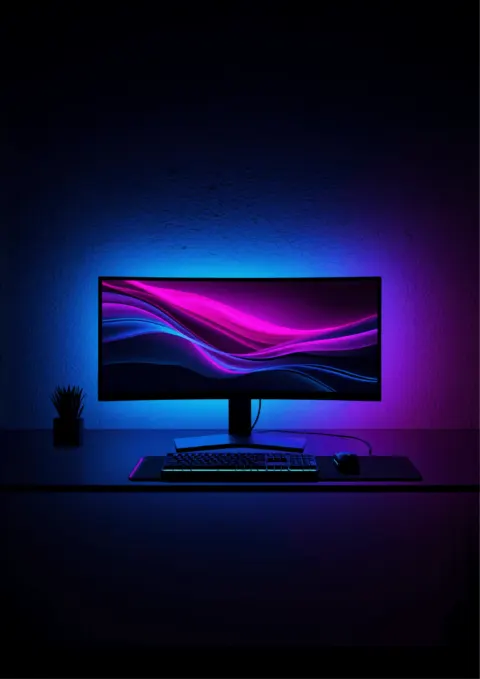
A behind-monitor RGB light strip is the cheapest single upgrade you can make to a gaming desk that pays off the moment you sit down at it. The right strip turns a flat, lit-from-overhead workspace into a cinematic ambient halo that matches whatever's on your screen. The wrong one is a flickery rainbow bar with a $4 controller that dies in a year.
The category split into two clear tiers in 2026. The premium picks use a small camera mounted on top of the monitor that reads the screen pixel-by-pixel and pushes those colors out to a strip behind the display in real time. Result: the room glows with the game. Budget picks skip the camera and run pre-loaded scene modes (color cycle, music sync, single color) that look great but don't follow what's on screen. Both are valid; this guide ranks the best of each tier alongside the picks that belong on a gaming desk versus a TV stand.
Bottom line
Best overall: The Govee Envisual TV Backlight T2 ($60-$80) is the right pick for most setups. Dual cameras, RGBIC addressable LEDs, app + voice control, and the easiest install of the screen-sync tier.
Best premium camera-sync: The Nanoleaf 4D TV LED Backlight ($85-$110) brings smart-home integration (HomeKit, Matter, Razer Chroma) and a higher-quality gradient strip. Worth the premium if you already live in the Apple Home or Razer Chroma ecosystem.
Best for Razer Chroma setups: The Razer Chroma Light Strip Expansion Kit (price varies) integrates with Razer Synapse alongside your keyboard, mouse, and headset. The pick if you want one ecosystem driving every piece of RGB on your desk.
Best for streamers / dramatic aesthetic: The Govee Smart Gaming Light Bars ($200-$240) sit behind the monitor as visible vertical bars rather than a hidden strip. The pick when the lighting is meant to be seen on stream.
Best budget under $30: The Govee 11.8ft RGBIC Wi-Fi TV LED Backlights ($25-$35) skip the camera but deliver full RGBIC color control, app + voice, and 64+ scene modes for around $30.
Quick Comparison
| Strip / Bar | Price | Screen Sync | LED Type | Smart Home | Gaming-Specific |
|---|---|---|---|---|---|
| Govee Envisual T2 | $60-$80 | Yes (dual camera) | RGBIC addressable | Alexa, Google | General-purpose |
| Nanoleaf 4D | $85-$110 | Yes (single camera) | Addressable gradient | HomeKit, Matter, Alexa, Google, Razer Chroma | General-purpose |
| Razer Chroma Light Strip | price varies | Via Razer Synapse | RGB addressable | Razer Synapse + Chroma RGB | Yes (Razer ecosystem) |
| Govee Smart Gaming Light Bars | $200-$240 | Yes (camera) | RGBICWW (color + white) | Alexa, Google | Yes (gaming-marketed) |
| Govee 11.8ft RGBIC | $25-$35 | No (scenes + music) | RGBIC addressable | Alexa, Google | General-purpose |
How Camera-Based Screen Sync Works
The premium tier of behind-monitor RGB strips uses a tiny camera that mounts on top of the monitor and looks at the screen. Software inside the controller reads the average color of zones along the edges of the display 60+ times per second, then pushes those colors out to the matching segments of the LED strip behind the monitor. The wall behind the display becomes an ambient extension of whatever's on screen. Explosions in a game flash orange behind the monitor. Underwater levels glow blue. Cutscenes shift mood with every camera change.
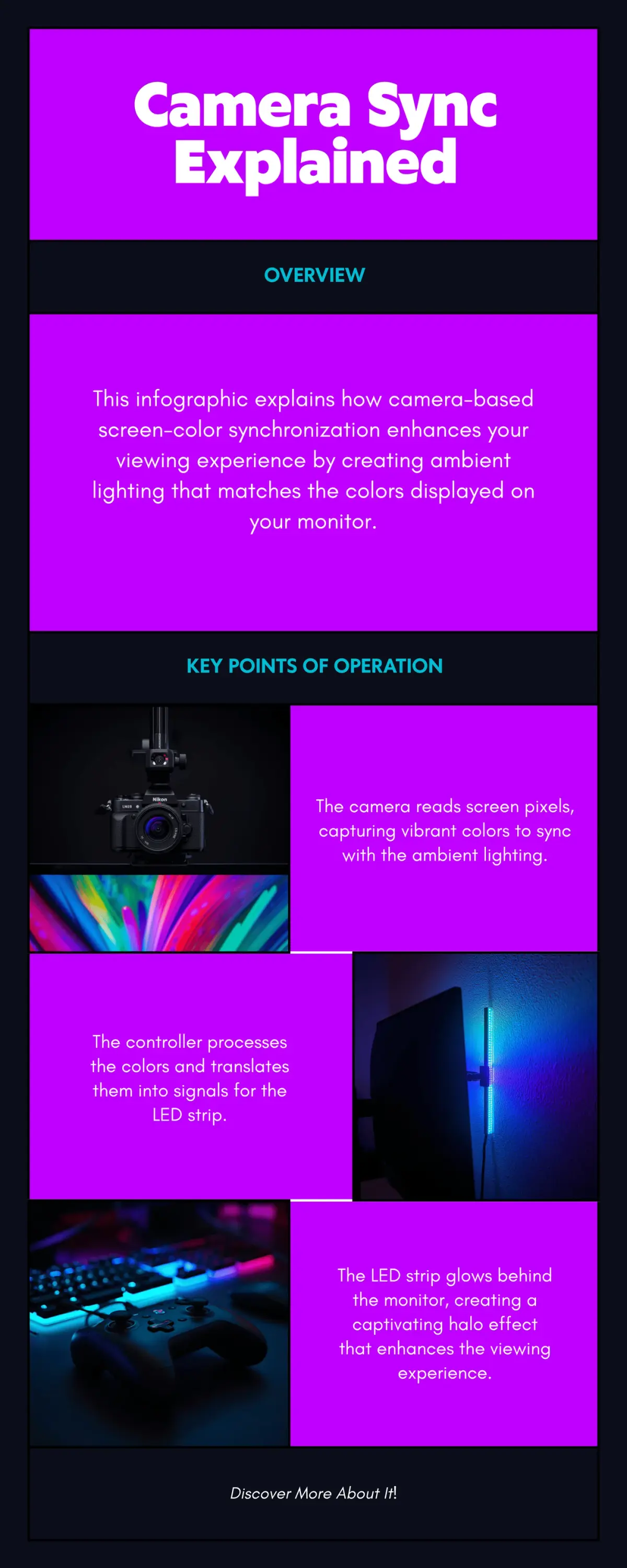
This is the feature that separates the gaming-grade strips from the $15 RGB tape on Amazon. Without it, your light strip is just running scene modes (rainbow cycle, breathing, single color) regardless of what's happening on screen. With it, the room reads as part of the game.
Govee Envisual TV Backlight T2: Best Overall
The Govee Envisual TV Backlight T2 ($60-$80) is the easiest entry into the screen-sync tier and the right pick for most behind-monitor setups. Dual cameras (vs the single camera most competitors use) cover wider monitors more accurately, and the RGBIC addressable LEDs deliver multiple colors at once along the strip rather than the single-color zones found in cheaper RGB tape.
Setup takes under 10 minutes: peel-and-stick the strip along the back edge of your monitor, mount the camera on top, plug the controller into a wall outlet, and pair with the Govee Home app over Bluetooth. After that the strip lives on Wi-Fi and works without your phone in range. Music sync mode pulses to ambient audio for streaming or party setups; scene modes cover ambient mood lighting for non-gaming use.
The 11.8ft strip length covers most 32" to 49" ultrawide monitors comfortably, or a 55-65" TV if you're using one as a primary display. For 75-85" displays, step up to the 16.4ft version.
Where it falls short: The camera needs an open sight line to the screen, so monitors with thick stands or top-mounted webcam arms can occlude the view. The Wi-Fi is 2.4GHz only, which is fine for most home networks, but 5GHz-only setups need a 2.4GHz bridge SSID. And the ambient color projects onto the wall behind the monitor, so wall color matters: a flat white or light gray wall reflects RGB beautifully; a dark wall absorbs most of it.
Price: $60-$80
Nanoleaf 4D TV LED Backlight: Best Premium Camera-Sync
The Nanoleaf 4D TV LED Backlight ($85-$110) uses a single camera (vs the Govee T2's dual setup) but pairs it with a higher-quality addressable gradient strip that produces noticeably smoother color transitions. Where RGBIC strips can show a slight banding between colors at lower brightness, the Nanoleaf gradient strip blends colors edge-to-edge.
The bigger reason to pay the premium: smart-home integration. Nanoleaf 4D works with Apple HomeKit, Matter, Amazon Alexa, Google Home, IFTTT, and Razer Chroma. If you already have Hue bulbs or Nanoleaf Shapes / Lines wall panels, the 4D becomes part of the same scene and routine system without third-party bridges. The Nanoleaf desktop app on Windows and macOS adds fine-tuned color control that Govee's mobile-only setup doesn't match.
Where it falls short: Single-camera coverage is slightly less accurate than dual-camera on ultrawide monitors. The camera mount is designed for flat-edge displays, so curved monitors require an aftermarket bracket. And there's no built-in music sync mode out of the box, so audio-reactive lighting requires running the strip through a third-party app like Razer Chroma Studio.
Price: $85-$110
Razer Chroma Light Strip Expansion Kit: Best for Razer Chroma Ecosystems
The Razer Chroma Light Strip Expansion Kit (price varies) is the pick when you already own Razer keyboards, mice, mousepads, and headsets and want the lighting behind your monitor to react to the same Synapse + Chroma profiles. The strip plugs into a Razer-compatible Chroma controller (sold separately or bundled in the Chroma RGB starter kit) and inherits whatever Chroma scene your other Razer gear is running.
The advantage is unified ecosystem: when your Razer keyboard pulses red because you took damage in a game, your light strip pulses red at the same time. Razer Chroma Studio lets you map effects across every connected device for a coordinated lighting moment that's hard to replicate by chaining apps from different brands.
Where it falls short: Camera-based screen sync isn't native; you'd run a third-party app like Razer's Aurora visualizer or Chroma Connect with your game. The strip is shorter than the Govee or Nanoleaf options out of the box and may need an additional kit for ultrawide displays. And it's locked into the Razer Synapse software stack. That's fine if you live there already, a harder sell if you don't own other Razer gear.
Price: price varies
Govee Smart Gaming Light Bars: Best for Streamers and Visible Aesthetic
The Govee Smart Gaming Light Bars ($200-$240) take a different design approach. Instead of a hidden strip taped to the back of the monitor, you get two vertical light bars that stand behind the monitor (or to either side) and cast color back at the wall. The bars are the visual centerpiece of the setup, designed to appear in the camera frame as part of a streamer's set.
RGBICWW means the bars handle both ambient color (RGB) and standard white (warm + cold) for face-lighting on stream, which matters when the bars themselves are providing the room's primary light. Camera-based screen sync via the Govee app on PC follows game colors. A wireless remote in the box provides physical control without reaching for the phone.
Where it falls short: This is the highest price tier in the guide, and the bars are physically taller than a strip. They need a shelf, monitor stand, or wall bracket behind the monitor for placement. The bars also occupy real desk real estate, which a hidden strip doesn't. If your goal is invisible ambient lighting, a strip is better; if your goal is on-camera presence, this is the pick.
Price: $200-$240
Govee 11.8ft RGBIC Wi-Fi TV LED Backlights: Best Budget Under $30
The Govee 11.8ft RGBIC Wi-Fi TV LED Backlights ($25-$35) skip the camera and skip the screen sync. What you get instead is a full RGBIC addressable strip with 64+ pre-loaded scene modes, music sync via your phone's microphone, Wi-Fi + Bluetooth, Alexa and Google support, and a price point around $30. For ambient mood lighting that doesn't follow your game but does change with audio and time of day, this is the smart-home tier without the camera tax.
The 11.8ft length covers the same 55-65" TV / 32-49" ultrawide range as the higher-tier T2 above. Adhesive backing plus mounting brackets handle clean install. The Govee Home app handles scene control and scheduling.
Where it falls short: No screen-color sync, so the strip plays scenes regardless of what's on screen. The adhesive can lose grip on textured monitor backs after a few months, especially in warm rooms. Pick up dual-lock fastener tape if your install is permanent. And like the T2, it's 2.4GHz Wi-Fi only.
Price: $25-$35
How to Choose: Decision Tree
- You want the strip to follow your game's colors and you don't care about smart-home ecosystems? → Govee Envisual T2 (best overall, easiest install of the screen-sync tier)
- You already use Apple HomeKit, Matter, Razer Chroma, or other Nanoleaf gear? → Nanoleaf 4D (premium screen sync that joins your existing ecosystem)
- You already own Razer keyboards / mice / headsets and want unified Chroma scenes? → Razer Chroma Light Strip (the lighting pulses with your peripherals via Synapse)
- You stream and want the lighting to be visible on camera, not hidden? → Govee Smart Gaming Light Bars (vertical bars are the centerpiece)
- You want RGB without spending $60+ and you don't need screen sync? → Govee 11.8ft RGBIC (full RGBIC + smart home + music sync at the budget tier)
Setup Tips for Behind-Monitor RGB
A clean install is what separates the polished gaming desk from the obvious "I taped LEDs back here" look. A few things that matter:
Wall color. Light strips reflect color onto the wall behind the monitor. Flat white, light gray, or pale beige walls show RGB beautifully. Dark navy, charcoal, or matte black walls absorb most of the color and you'll wonder why your $90 strip looks like a $15 one. If your wall is dark and you can't paint, mount a white foam-core sheet or a light fabric panel on the wall behind the monitor as a reflector.
Monitor distance from wall. RGB ambient halos are most dramatic when the monitor sits 6-12 inches off the wall. If your monitor is flush against the wall, the light has nowhere to spread. A monitor arm or a desk that sits 6+ inches from the wall transforms the effect.
Cable management. The strip's controller needs to plug in somewhere. Run the cable down behind the desk and out to a power strip; don't let it hang. Most strips use a small wall-wart adapter, so plan an outlet within reach.
Camera placement (screen-sync strips). The camera needs unobstructed sight line to the screen. Webcam arms, ring lights, and microphone booms can block it. Test the sync with the Govee or Nanoleaf app and re-position the camera if colors are clipped at the edges.
Frequently Asked Questions
Is camera-based screen sync worth the extra $40-60 over a basic RGB strip?
For gaming and movie watching, yes. When the strip changes colors with what's on screen, the experience is immersive in a way scene modes can't match. For ambient mood lighting in a workspace where you're not staring at moving images, the gap closes. If 80% of your monitor time is web browsing, coding, or text-heavy work, the budget RGBIC strip with scene modes does almost the same thing for half the price. If 80% of your time is gaming or streaming video, pay the camera tax.
Will RGB lighting cause monitor screen glare or eye strain?
Behind-monitor lighting actually reduces eye strain by cutting the contrast between a bright screen and a dark room. Bias lighting research dates back decades for that reason. The risk is brightness. Too-bright RGB behind the monitor pulls your eye away from the screen. Set the strip to 30-50% brightness for ambient use, higher for visual impact, lower for eye comfort during long sessions.
Do these strips work without Wi-Fi or an app?
The Govee strips technically pair via Bluetooth, so they work in a phone-only configuration on the same network. The Nanoleaf 4D requires the Nanoleaf app for first-time setup, after which it can run via wall-switch power cycling. The Razer Chroma strip is fully app-controlled (Razer Synapse). For a no-app experience, look for a strip with a physical IR remote (the Govee Smart Gaming Light Bars include one in the box).
Will the adhesive damage my monitor's back panel?
The adhesive used on Govee, Nanoleaf, and Razer light strips is a low-residue acrylic foam tape, similar to 3M Command strips. It removes cleanly with a heat gun or hair dryer (warm the adhesive, then peel slowly). For monitors with painted plastic backs (most consumer displays), removal leaves no mark. For monitors with matte rubber-feel coatings, test removal in an inconspicuous corner first.
Can I run multiple strips behind a multi-monitor setup?
Yes. The Govee Envisual T2 supports daisy-chaining for ultrawide or dual-monitor configurations via the official Govee extension cables. Nanoleaf 4D ships with a single strip but can be paired with Nanoleaf Shapes or Lines wall panels for multi-element scenes. Razer Chroma is the most flexible: Synapse can drive any number of Razer-compatible strips and devices in a coordinated effect.
Does the strip drain my PC's USB power?
Most strips here use a separate wall adapter (12V) and don't draw from your PC at all. The exception is some smaller "USB-powered" RGB tape sold under generic brand names. Those plug into the monitor's USB-A passthrough or your PC and draw 5V at low amperage. The picks in this guide are all wall-powered.
What's the warranty on these strips?
Govee includes a 1-year limited warranty on the Envisual T2, Smart Gaming Light Bars, and 11.8ft RGBIC strip. Nanoleaf provides 2 years on the 4D and the camera. Razer covers the Chroma Light Strip Expansion Kit for 2 years. All are subject to purchase from authorized sellers (verify the seller is the brand or Amazon directly before buying).
Related Guides
- Best Razer Streaming Setup 2026: full Razer ecosystem build for streaming, including this light strip
- Best Gaming Chairs 2026: completing the gaming desk with a chair that holds up over long sessions
- Best Desk Lamps for Eye Strain: front-of-monitor task lighting that pairs well with behind-monitor ambient RGB
- Complete Home Office Setup Under $1,000: broader workstation context for hybrid gaming/work desks